1
SDE Concepts
Default Record Type
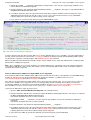
• Execution of any command that supports a record_type argument will update DRECTYPE to be the record type selected
for the command. This is true whether the record type has been specified explicitly in the command syntax or implied by
the record type of focus line. (e.g. WHERE, LOCATE, etc.)
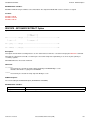
The current value DRECTYPE may be interrogated using the QUERY or EXTRACT DRECTYPE commands.
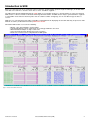
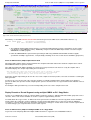
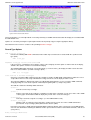
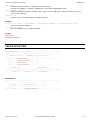
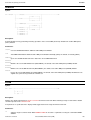
DB2 Table Display
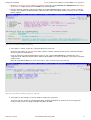
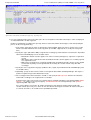
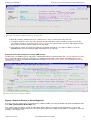
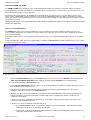
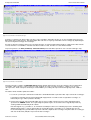
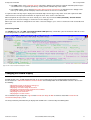
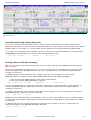
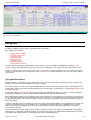
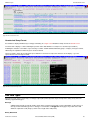
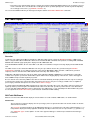
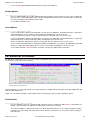
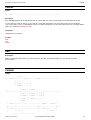
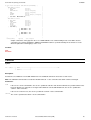
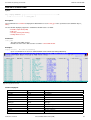
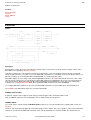
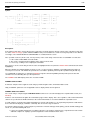
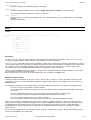
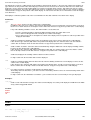
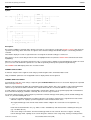
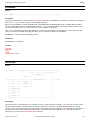
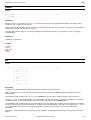
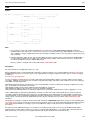
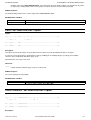
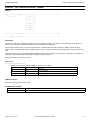
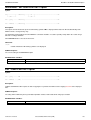
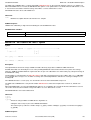
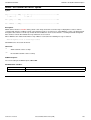
Figure 30. SDE DB2 Table Edit View.
Overview
Included as part of SELCOPY/i DB2 functionality, the SDE data editor includes support for BROWSE and EDIT of DB2 results
tables. Using the SDE editor for DB2 table edit has the benefit that all SDE commands and operations, including FIND, CHANGE,
WHERE and LOCATE, apply equally to the display and edit of DB2 table data.
For both BROWSE and EDIT, all rows of the DB2 results table are loaded into storage before being displayed in the SDE window
view.
The SDO structure used to format the DB2 table rows may be a pre-defined structure file, generated using the CREATE
STRUCTURE command, or, if no SDO structure file is named on the BROWSE or EDIT operation, a SELCOPY/i generated
temporary structure derived from the DB2 SQLDA chain returned by SQL SELECT query.
A DB2 table edit SDO includes the SQL query option criteria (SELECT, WHERE, ORDER BY) used to obtain the results table,
Isolation clause options specified on edit and other options which include skipping display of locked rows, actions that trigger an
SQL COMMIT and preservation of primary key fields.
Because data in rows returned by a DB2 results table are formatted identically, the display of table rows has only one record type
assigned a name (Row name) equal to the table owner id. Because there is only one record type, all table rows are eligible for
processing by commands that operate on records of the default record type.
A separate SELCOPY/i DB2 table EDIT audit log may be started for each table edit session. This isolates SQL insert, delete and
update operations performed against an individual results tables from other SQL operations performed in the same SELCOPY/i
session. Note that multiple DB2 tables may be edited in the same SELCOPY/i session, potentially from different DB2 subsystems.
See description of the Audit Trail Functions panel for details of SELCOPY/i DB2 auditing.
DB2 Table Edit/Browse
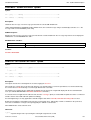
Differences between the SDE window display of structured data set records and that of DB2 tables, are detailed below.
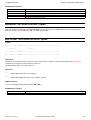
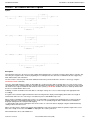
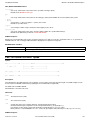
Header Lines
The Record Type header line displays the row (record type) name assigned to the table rows and the number of columns
defined in the results table.
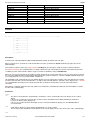
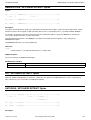
The Field Type header line displays the the DB2 built-in data type as specified in the results table column definition. i.e. no
field position is displayed and any applicable field length or field precision and scale are represented in "( )" (parentheses).
See "SDE Data Types" for descriptions of each of the supported data types and their representation in the Field Type
header line.
2012-05-10 17:05:59
Structured Data Environment (SDE)
42