1
E
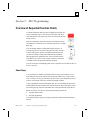
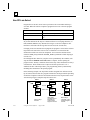
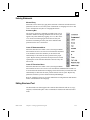
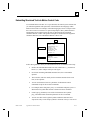
other programs and allow other actions to begin after an M code is encountered
during program execution.
•
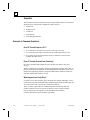
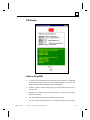
You can improve your control over program flow by using WHILE and IFGOTO commands with the Motion Control commands.
•
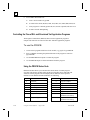
You can call a macro (subroutine) for execution by using a preparatory
command G65.
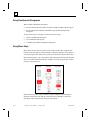
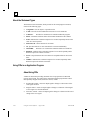
Using Motion Control Statements
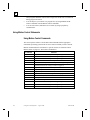
Using Motion Control Commands
The control system software converts RS-274D commands into the appropriate
commands specifically generated for the servo-motion card that you have selected.
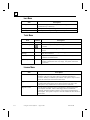
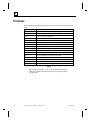
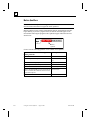
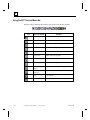
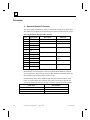
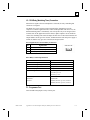
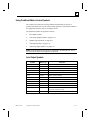
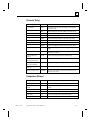
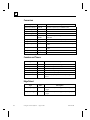
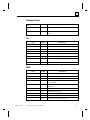
Motion commands must be structured in a specific format. See “Motion Control
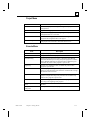
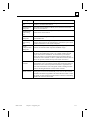
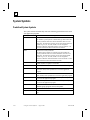
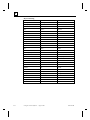
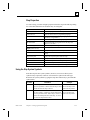
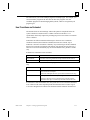
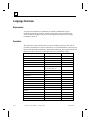
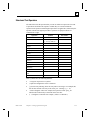
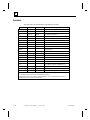
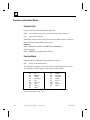
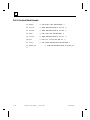
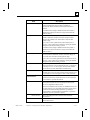
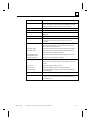
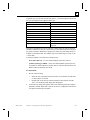
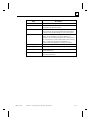
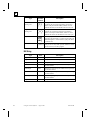
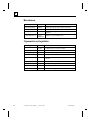
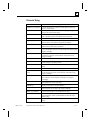
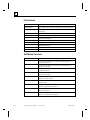
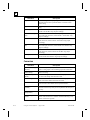
Block Format” on page E-5. The motion commands are:
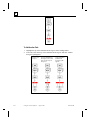
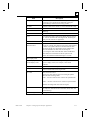
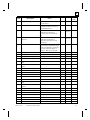
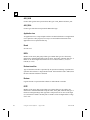
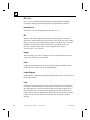
Command
E-4
Function
A
Rotary X motion command in predefined engineering units.
B
Rotary Y motion command in predefined engineering units.
C
Rotary Z motion command in predefined engineering units.
D
Tool function for selection of tool compensation.
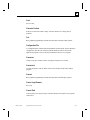
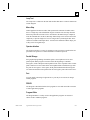
F
Feed rate function or speed command in predefined engineering units.
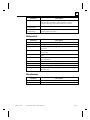
G
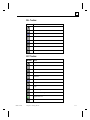
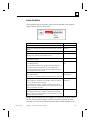
Preparatory function. See “Using G Codes” on page E-6.
I
Interpolation parameter or thread lead parallel to X axis.
J
Interpolation parameter or thread lead parallel to Y axis.
K
Interpolation parameter or thread lead parallel to Z axis.
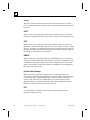
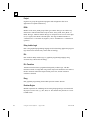
M
Miscellaneous function. See “Using M Codes” on page E-8.
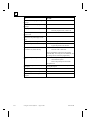
N
Block number (optional)
S
Spindle speed function.
T
Tool Function. Range 01-32.
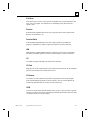
X
Linear X motion command in predefined engineering units.
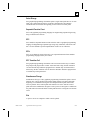
Y
Linear Y motion command in predefined engineering units.
Z
Linear Z motion command in predefined engineering units.
Using PC Control Software – August 1998
GFK-1424B