1
Table of Contents
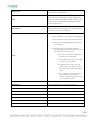
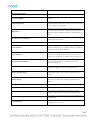
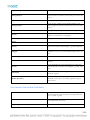
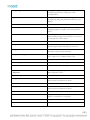
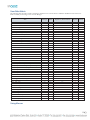
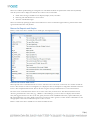
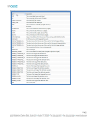
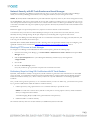
Table of Contents ............................................................................................................................................................................. 1
Trademarks ...................................................................................................................................................................................... 8
Copyright Statement ......................................................................................................................................................................... 8
Overview ........................................................................................................................................................................................... 9
RFID Technology ................................................................................................................................................................................................................. 9
RF Regulatory Compliance and RF Transmissions Safety .................................................................................................................. 9
Comparison of Active RFID Tag and Cell Phone Signals ................................................................................................................ 10
RF Code Software and Hardware Overview………………………………………………………………………………….11
RF Code Readers ...................................................................................................................................................................................... 11
Prerequisite Reader Configuration ......................................................................................................................................................... 12
RF Code Zone Manager ....................................................................................................................................................................................................13
Licensing Overview .................................................................................................................................................................................. 14
Installing Asset Manager.......................................................................................................................................................................... 16
System Requirements ............................................................................................................................................................................... 16
Installation Instructions ........................................................................................................................................................................... 16
Getting Started with Asset Manager ............................................................................................................................................... 24
Configuring and Using Asset Manager ...........................................................................................................................................................................24
Asset Manager Web Console Overview .........................................................................................................................................................................25
Bookmarks ................................................................................................................................................................................................. 26
Folders ........................................................................................................................................................................................................ 27
The Administrator Console .................................................................................................................................................................... 28
The User Console ..................................................................................................................................................................................... 29
Adding Licenses ..................................................................................................................................................................................................................29
Adding and Configuring Readers .....................................................................................................................................................................................31
Adding Tag Groups............................................................................................................................................................................................................34
Assets .............................................................................................................................................................................................. 36
Overview of Assets .............................................................................................................................................................................................................36
Managing Assets..................................................................................................................................................................................................................36
Adding Assets Individually...................................................................................................................................................................... 36
Environmental Monitoring with Sensor Tag Assets .......................................................................................................................... 39
Managing RCI and RTI with Temperature Sensors ........................................................................................................................... 39
Creating an Asset Export File to Import Assets in Bulk ................................................................................................................... 40
Configuring an Asset Export File to Populate and then Import ..................................................................................................... 41
Importing Assets .................................................................................................................................................................................................................43
Data Schema ................................................................................................................................................................................... 44
Asset Types ..........................................................................................................................................................................................................................44
Viewing Asset Types ................................................................................................................................................................................ 46
2