1
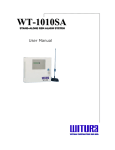
WT-1010SA USER MANUAL
Please check the following packing list:
Name
WT-1010SA Main Unit
Telephone line
Power adapter
Lithium-Ion Back-up Battery
5m GSM terminal antenna
User’s Manual
Quantity
Unit
1
1
1
1
1
1
set
set
set
set
set
set
Contents
1. Introduction to WT-1010SA GSM Alarm System………………………………………………………………….….5
2. Main Features of the WT-1010SA….………….………………………………………………………………………..……5
3. Installation Instruction...............................................................................................6
3.1 Description……………………………………………………………………………………………………………………………………………..6
3.2 WT-1010SA Inputs & Outputs Wiring Instructions……………………………………………………………………………...7
3.3 Installing the SIM Card………………………………………………………………………………………………………………………….8
3.4 Power up the WT-1010SA…………………………………………………………………………………………….……………………….8
3.5 Dialing a number from the attached telephone set……………………………………………………………………………..9
4. WT-1010SA Configuration Instructions (Via Voice)……………………….………………………………………10
4.1 Introduction………………………………………………………………………………………………………………………………………..10
Step1- Enter Programming Mode…………………………………………………………………………………………………….10
Step2- Reset the WT-1010SA Unit………………………………………………………………………………………………….11
Step3- Programming the Administrator Number…………………………………………………………………………….11
Step4- Setting the Recipient that will receive Alert Messages……………………………………………………….12
Step5- Programming the Area Code……………………………………………………………………………………………….12
Step6- Setting the Function of Adding Area Code when Transmitting an Alarm………………………….13
Step7- Setting the Delay Time for Transmitting a Dialing Number……………………………………………….13
Step8- Setting for calling a group of Administrator Numbers……………………………….……………………….14
Step9- Setting for Auto Test……………………………………………………………………………………………………………14
Step10- Setting for PSTN Failure…………………………………………………………………………………………………….18
Step11- Setting for AC Failure………………………………………………………………………………………………………..19
Step12- Setting for Overcoming GSM Jammers & GSM Tower Failure……………………..………………….20
Step13- Input Settings…………………………………………………………………………………………………………………….22
Step14- Arm and Disarm the System……………………………………………………………………………………………..23
Step15- Enable the Remote Control………………………………………………………………………………………………..24
Step16- Setting the Automatic Call Answering Feature………………………………………………………………….25
5. WT-1010SA Configuration Instructions (Via SMS)………………………….……………………………………..26
5.1 Time Setting……………………………………………………………………………………………………………………………………….26
5.2 Editing the Message Contents of Auto Test…………….………………………………………………………………………..26
5.3 Editing the Input Alert Messages (When High Pulse)……………………………………………………………………….27
5.4 Editing the Input Alert Messages (When No Pulse)…………………………………………………………………………..27
5.5 Output Settings…………………………………………………………………………………………………………………………………..28
5.6 Arm and Disarm the System (Via SMS)…………………………………………………………………………………………….29
WT1010SA – USER MANUAL – Rev.1.6 – Technical Support: Technical@witura.com
COPYRIGHT ©2009 WITURA CORPORATION SDN BHD
3