1
WT-1018C1 USER MANUAL
4.
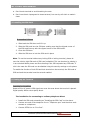
Install the antenna and power supply well. The distance between telephone
and terminal is 1.5m at least.
5.
Connect one end of the power adapter to “Power port” and another end
connects to 220v AC power.
6.
Turn on the terminal.
7.
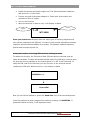
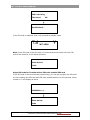
When the terminal is ready to use, it will display as below
Power
Signal
WT-1018
Draw your attentions: Because there are many types of ordinary telephone and
their electric parameters are different. In order to avoid mutual disturbance between
telephone and terminal and affects voice quality. The distance between telephone
and terminal must be beyond 2m.
Setup the function of locking SIM card and locking terminal
To enable this function, the PIN code of both SIM card and the terminal must be
setup and enabled. To setup and enable the PIN code of the SIM card, it can be done
by using the security settings on any mobile phone or on WT-1018C1 terminal. To
setup the PIN code for the terminal, you can first turn on the terminal without
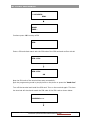
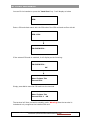
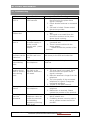
installing the SIM card. When turned on, it will display as below
LOADING:>>>
Insert SIM
Now you can lift the handset or press the “hand-free” key of the connected phone.
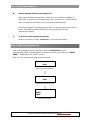
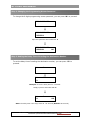
Input the password to enter programming mode by pressing **12345678#. If
password entered correctly, it will display as below.
WT-1018C1 – USER MANUAL – Rev 1.6 – Technical Support: Technical@witura.com
COPYRIGHT ©2009 WITURA CORPORATION SDN BHD
6