1
CREATING, BUILDING & DEBUGGING ZIGBEENET APPLICATIONS
IN AVR STUDIO
APPLICATION NOTE
Document Summary
This document gives a brief introduction to the process of creating, building and
debugging ZigBeeNet-based projects using Atmel’s IDE, AVR Studio [1], WinAVR
compiler [2], [3] and JTAGICE mkII hardware [4] on a PC running Microsoft®
Windows™ 2000/XP.
In this tutorial we will create a small project that controls one of the LEDs on
MeshNetics’ MeshBean development board and try to debug it using AVR studio
and JTAGICE mkII hardware.
Document Conventions
Buttons
Dialog button names are denoted in Courier: OK, Cancel
Menu
commands
Menu items are denoted in Courier and shown in order they must
be selected: File -> Open
Keyboard
shortcuts
Several keys should be pressed simultaneously in the order they
are listed: F7, Ctrl-Shift-F5
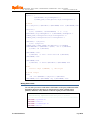
Source code
Code snippets are shown in colored text:
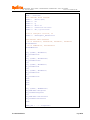
/***********************************************
User's entry.
***********************************************/
void fw_userEntry(FW_ResetReason_t resetReason)
Intended Audience
This document is intended for developers, wanting to get familiar with writing
ZigBee/802.15.4 applications using MeshNetics ZigBeeNet ZigBee stack.
Related Documents:
[1]
AVR Studio User Guide. Available in HTML Help with the product.
http://www.atmel.com/dyn/products/tools_card.asp?tool_id=2725
[2]
WinAVR User Manual / Ed. by Eric B. Weddington
[3]
Using the GNU Compiler Collection/ By Richard M. Stallman and the GCC
Developer Community
[4]
JTAGICE mkII Quick Start Guide
http://www.atmel.com/dyn/resources/prod_documents/doc2562.pdf
[5]
© 2008 MeshNetics
ZigBit™ Development Kit User’s Guide. MeshNetics Doc. S-ZDK-451
Page 2/12