1
System requirements
Hardware
You will need either a PC or laptop computer to
run the Robo-CIRCLE software. Getting started with
Robo-CIRCLE is easiest if your PC or laptop has the
following features:
! Harddisk space 15MB
! 800 x 600 Resolution Color Monitor. 1024 x 768
COM port
recommended.
! A serial or USB port (requires USB to serial port
converter for USB port - optional)
! A CD-ROM drive, World Wide Web access, or both.
Software
! Install Windows ME or newer operating system.
Windows XP Service-pack2 is highly recommended.
Window Vista and Windows 7 is also supported.
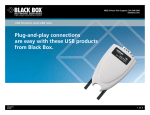
RS-232 serial port may be called
COM port. Normally installed
at the back of computer.
It provides 9-pin male D-type
connector (called DB-9 male
connector).
Cable information :
CX-4 cable
COM port interfacing cable between controller board with computer
Conductor side
Female DB-9 connector
Computer’s side
JST3AA-8 cable
Ground
4-pin modular plug
Microcontroller’s side
pin 2 - RxD (Serial data receiver pin)
pin 3 - TxD (Serial data transmitter pin)
pin 4 - DTR (Data terminal ready)
pin 5 - GND (Ground)
3-wire cable for interfacing the sensor and application module
Signal wire
8-inch
+5V
2