1
Fig. 2.
with vowel sounds spoken into a microphone. The different
sounds move the mouse cursor in a different direction. Curved
movement is achieved by blending different vowel sounds
together. Mouse clicks are done with a soft clicking sound.
This system uses a microphone and a standard sound card.
This system has been tested with users having spinal cord
injuries. In trials of this system, each participant was trained
for 12 hours. The training was done to teach the users how the
make the proper sounds, to “memorize directional patterns”,
and how to “manipulate the cursor speed.” While the work
seems promising due in equal parts to its simplicity and light
hardware requirements, the 12 hour training phase is long and
using the system was often frustrating and tiring [5].
Igarashi and Hughes [6] use a combination of voice and
non-verbal sounds to reduce interaction turnaround time for
systems that are normally voice only. They accomplish this
by using a combination of tonguing, continuation of sound,
and pitch to control aspects of a computer interface like
scrolling and mouse control. For example, tonguing can control
discrete values such as the channels on a television by the
user saying, ‘Channel up, ta, ta, ta,’ which will increase the
current channel by three [6]. Continuation of a sound controls
continuous aspects of the interface such as scrolling. For
example, the user might say, ”Scroll down, ahhhhhhh,” which
would cause a browser to scroll down for the entire time that
the “ahhhhhh” is sounded out. The rate of continuous control is
increased or decreased by changing the pitch of the continuous
sound in their system. Some advantages of their system over
traditional voice recognition are that it’s simple, somewhat
language independent, and provides “immediate, continuous
control” [6]. Some limitations are that use of the system can
be tiring; it requires a somewhat unnatural way to use the
voice [6] and since it is sound-based it can be affected by a
noisy environment.
The system created by Sporka et al. [7], can control
the mouse pointer by having a user whistle, hum or sing.
Their system operates in two different modes: orthogonal
and melodic. In the orthogonal mode, a pitch threshold is
defined such that if the user sounds a tone that is above this
threshold and subsequently increases pitch, the cursor moves
up on the screen. If the user sounds a tone that is above this
threshold and decreases pitch, the cursor will move down. If
the user wishes to move the cursor left or right, she would
sound a tone below the threshold and would increase the pitch
to move right and decrease the pitch to move left. Rate of
movement is determined by the magnitude of the difference
between starting and ending pitches. Mouse clicks and double
clicks are indicated by short sounds of any frequency. In the
melodic mode, twelve notes in an octave were mapped onto a
compass to indicate direction. In this mode, the cursor moves
in the direction of the sounded note at a constant speed. In
experiments with the system, the orthogonal mode proved to
be easier to use. Whistling to control the cursor was found
to be more accurate but more tiring that humming. Hissing
did not work as a method to control the cursor because the
targets could not be homed in on. Advantages of the system
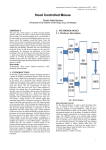
System block diagram [1]
bits per minute) [2] [3] and can, with the exception of the P300
type, require a long training phase [13]. These systems are also
invasive and expensive. While research on these systems has
been promising, they are not yet ready for general use as a
low-cost hands-free cursor control option.
There are camera-based control systems which are more
practical, usable and inexpensive such as the Headmouse [4].
This is software which runs on the host PC, which has a
webcam attached. The software uses the webcam to detect
head movement and uses the head movement to manipulate
the mouse cursor. Clicks can be generated by blinking, opening
and closing the mouth, or automatically after a timeout period.
The user chooses which method to use during a calibration
phase. Also during this phase, the system is calibrated for a
specific user’s head movement [4]. It uses a USB connection
and standard mouse drivers. However, it requires a line of
sight to the receiving camera to manipulate the mouse cursor,
which may not be desirable for all users in all environments.
The Headmouse attempts to have the computer track the
user’s head. Our head-tilt mouse system uses a much different
approach, and does not use a camera. Instead, our system rests
comfortably on the user’s head and sends mouse updates when
the accelerometer senses a change.
Mouth-based controls are helpful to many users. Surdilovic
improved upon a mouth-based cursor control interface for
persons with spinal cord injuries, in which the user blows
or sucks air through a straw device [17]. In Surdilovic’s
system, the blows are referred to as “puffs” and the sucks
are referred to as “sips.” Users’ “sips” or “puffs” control a
“scanning line” which rotates clockwise or counterclockwise;
zooms into a target; and finally moves a cursor along the
scan line to the exact object of interest. The user can, with
sips and puffs, then indicate which kind of mouse click they
would like to perform on the selected object (e.g. Single Click,
Double Click, Right click, Drag Start, or Drag End) through
a form of Morse Code [17]. However, this system requires a
specialized hardware card installed on the computer that reads
and digitizes the air flow through the user’s straw. Furthermore,
mouth-based systems have hygienic concerns and may not be
comfortable to use for all users.
In [5], a computer mouse is controlled by the user
40