1
PROGRAMMING KEYS
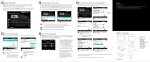
Enter the ASCII codes that you want to record into the selected key location. There are
three ways to enter ASCII codes.
•
Use your mouse to click on the keys you want to record. Use the keyboard graphic
which is located on the bottom of the MacroMaster681 Program window. This will
automatically insert each ASCII code selected into the black colored grid.
•
Use your standard keyboard, which is already attached to your PC, to type in the
ASCII codes. Only the green colored keys are available from your keyboard directly
because they represent ASCII text characters. The other codes will have to be entered
using your mouse.
You may also enter the actual ASCII code manually by typing the ASCII code as a decimal or
hexadecimal value and then click the INSERT button.
SAVE YOUR SET-UP
Save your ASCII code definitions to a file. This file will contain all the keypad properties and
the ASCII table needed to download to the keypad.
•
Click on the "Save as" button.