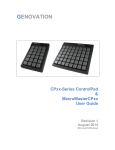
1
BASIC PROGRAMMING METHOD
To create and download custom macro definitions for the POS-PAGE 854 , follows
these instructions.
Click on
•
•
•
•
•
Start
Programs
Genovation
POS-PAGE 854
MacroMaster854 Program.
Basic Macro Programming:
One level, standard key characters, factory default parameters.
•
Select the key to program in the POS-PAGE 854 key area on the screen (Point &
Left-Click to select a key)
•
Select the key to insert into a macro by pointing to it on the 104 keyboard graphic
and left-click the mouse to select it, or by typing the "green" colored keys on your
standard keyboard. Repeat this step for additional keys to insert into the macro.
•
You can give each key macro a name which may make it easier to remember what
the keys function is. Simply Click on the edit box called "Name" and type in the
name of the key macro. For example: Cut, Copy, or Paste. You can create a name
for a key macro on level one and two if you use two levels.
•
Repeat steps 1 and 2 to program other POS-PAGE 854 keys.
Macromaster854.exe looks like this.