1
User manual Endurance
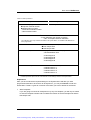
<USAGE>
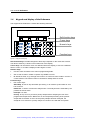
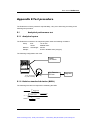
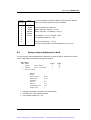
Press this key to enter the following Usage settings:
•
protection code: to enter a code for protection of methods. Enter a six digit code
(000000-999999) for protection of all methods. Press CL to erase the code. If a code
has been defined it is not possible to enter the System Menu and the programming
menus without entering the protection code. Default: none.
•
timebase methods: to enable or disable the possibility to program timebase methods.
The Endurance controls other connected equipment during analysis time. Program
timebase methods in the Methods Menu. Default: disabled.
•
mix methods: to enable or disable the possibility to program mix methods for the
Endurance. Program mix methods in the Methods Menu. Please note that the
Endurance cannot analyze priority samples during a run if the mix method is enabled.
Default: disabled.
•
user program: to enable or disable the possibility to program a user program. If this
function is enabled it is possible to enter a user program protection code (6 digits).
Program the user program in the Methods Menu. Please note that the Endurance
cannot analyze priority samples during a run if the user program is enabled.
Default: disabled.
•
labeled wells: to enable or disable the possibility to program labeled wells. Program the
location of labelled wells in the Series Menu. Default: disabled.
•
templates: to enable or disable the possibility to program templates. Pogram templates
in the Methods Menu. Default: disabled.
•
calibration wells: to enable or disable the possibility of programming a calibration vial.
Program the the calibration vial in the Series Menu. Default: disabled.
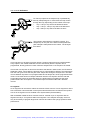
You are advised to disable as many functions in the Usage Menu
as possible to make sure that other menus do not contain
possibilities that are irrelevant for the type of analyses you are to
perform.
<PLATES>
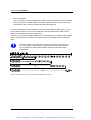
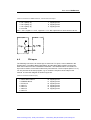
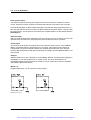
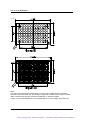
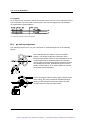
Use this key to define the type of plates that will be used. Four types can be selected: 96-low
(default), 96-high, 384-low or 48-vials. After a plate type has been selected, enter:
•
well processing method: in rows (left to right) or in columns (top to bottom).
•
first transport vial: enter a number 1 – 4, or press CL.
•
last transport vial: enter a number 1 - 4.
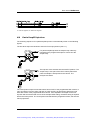
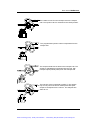
Vials can be placed in any of the four positions. Transport vials must be placed in a
continuous row.
0060.183.21
Artisan Technology Group - Quality Instrumentation ... Guaranteed | (888) 88-SOURCE | www.artisantg.com
35