1
43
Main Screen
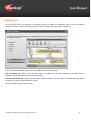
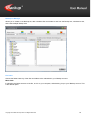
On a first time login to an IBackup for Windows account, by default, the application backs up the ‘Documents'
'Desktop', 'Pictures', 'Videos' and 'Music’ folders, with the frequency set to a random off-peak hour.
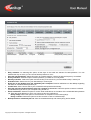
You can edit the 'Default Backupset' and its schedule, using the buttons below:
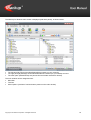
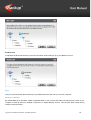
Edit my Backup set: It takes you to the main screen of the IBackup for Windows application from where you can
update the 'Default Backupset' and schedule its backup.
Edit Schedule Parameter: It opens the 'Scheduler' screen from where you can modify the scheduled backup options
like day, time, frequency and notification options
Click the 'Close' button to exit the screen.
Copyright © ProSoftnet Corporation. All Rights Reserved.
9