1
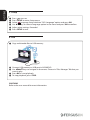
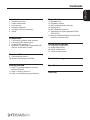
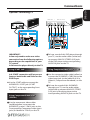
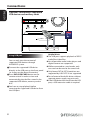
ENGLISH 3. Setup A B C D E F Press to turn on. Press SETUP to enter Setup menu. Select Language Setup tab then “OSD Language” option and press OK. Use keys to select a language option in the menu and press OK to confirm. Adjust other settings if needed Press SETUP to exit. 4. Use A Copy multimedia files to USB memory. B Connect USB memory to USB port in AV290DVD C Use keys to navigate in the menu. Choose in “Files Manager” file that you want to play D Press OK to start playback. E To stop playback, press STOP. CAUTION! Refer to the user manual for more information.