1
Powering PASSPORT iQ
PASSPORT iQ comes with a built-in
rechargeable battery. Before using it for the
first time, we recommend you fully charge
the internal battery by connecting it to
your computer’s USB jack with the supplied
USB cable. Charge time is normally about eight
hours. The battery will also charge while it’s
connected to your vehicle’s 12-volt source.
NOTE: Radar/laser detection features
cannot run on the PASSPORT iQ battery
alone. These functions will only work when
your device is connected to your vehicle’s
power supply via the SmartCord.
To Connect the Power:
1. Plug the small end of the
SmartCord into the
modular jack on
PASSPORT iQ’s right side.
2. Plug the SmartCord’s
lighter-plug adapter into
your vehicle’s lighter
socket or accessory socket.
Battery Charge Indicator
On the front of the iQ (lower left),
there is a battery charge indicator that
provides feedback on the status of the
internal battery: RED: Unit is plugged
in, but battery is not fully charged. Alternating
RED and GREEN: Battery is almost fully charged.
GREEN: Battery is fully charged.
Battery Warning
Power Options
• To turn on the iQ, slide the power switch on
top of the device to the right.
• To turn off the iQ, slide the same switch to
the right and hold for 4 seconds. The iQ will
shut down completely.
NOTE: Touching the “Cancel” button will put
the iQ in “battery-only” mode.
• With 12-volt switched power (lighter plug
turns on/off with the ignition)
With the power cord connected, the iQ will
automatically go into “suspend” mode (for
approx. 2 hours) when you turn off the
ignition. A message will appear
acknowledging this change. “Suspend” mode
turns off the screen, but provides a quick start
once 12 volts is applied.
• Unswitched 12-volt power (lighter plug has
a constant 12 volts)
When using the iQ with a constant 12-volt plug,
use the power switch to shut it off completely.
Unplugging the cord will put the iQ into
“suspend” mode (see above). You can also put
the iQ into suspend mode by momentarily
sliding the power switch to the “on” position.
• Lock Position
Put the power switch to the “lock” position
when not in use or traveling. This will keep
the device from using its internal battery.
If these guidelines are not followed, the internal
lithium-ion battery may experience a shortened
lifespan or may present a risk of damage to
PASSPORT iQ, fire, chemical burn, electrolyte
leak, and/or injury.
• Do not puncture or incinerate.
• Do not remove or attempt to remove the nonuser-replaceable battery.
• Do not operate PASSPORT iQ outside of the
following temperature range: -4°F to 131°F
(-20°C to 55°C).
• Do not leave PASSPORT iQ exposed to a heat
source or in a high-temperature location, such
as in the sun in an unattended vehicle. To
prevent damage, remove from the vehicle or
store it out of direct sunlight, such as in a
glove box.
• When storing PASSPORT iQ for an extended
time, store within the following temperature
range: 32°F to 77°F (0°C to 25°C).
• When disposing of PASSPORT iQ, take it to a
professional, such as a waste electronics
treatment facility, to have the battery removed
and recycled.
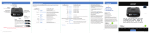
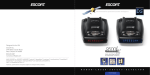
iQ Features
Power Switch
Mount Release Button
Front Laser Lens (Backside)
Radar Antenna (Backside)
Rear Laser Lens
Alert Light
• SmartCord
Audio Speaker (Backside)
Power Jack
Audio
Jack
Mute Button
Lock
4
Power
Alert Light
USB Port
SD Port
Charge Light
Reset
Power Light
5