1
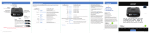
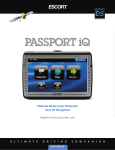
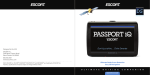
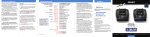
SECTION 1: SETTING UP PASSPORT iQ What’s Included 5” GPS/radar‐detection device SmartCord USB cable Mounting bracket Owner’s Manual on CD Quick‐Reference Guide Device Controls and Features Component Description Power Switch Charge Light Reset Button Power Jack (telephone‐type jack) Earphone Jack Switches PASSPORT iQ on or off, or locks the screen Red: Unit is plugged in, and battery is not fully charged Alternating red and green: Battery is almost completely charged Green: Battery is completely charged 5” touch‐sensitive screen Used only for connecting PASSPORT iQ to your PC or laptop to download software updates or charge the battery Press to reset the device if unit stops responding For connecting your SmartCord to power PASSPORT iQ with your vehicle’s battery For connecting 3.5 mm mono earphone Micro SD Card Slot For adding future optional features LCD Screen USB Port