1
which you can adapt to fit your testing needs.
The FAQ section [45] gathers common problems and solutions for TestPlant products.
Online eggPlant Functional Tutorials: [46] This series of four interactive tutorials introduces the scripting environment and some frequently used
commands and functions.
eggPlant Functional User Forum: [47] Use this forum to ask questions of other eggPlant Functional users, help your peers, and share ideas and
approaches for using the product.
eggPlant Functional Examples Forum: [48] This forum is a collection of eggPlant Functional scripts written in SenseTalk that address a variety of
scripting problems.
The eggPlant Functional Workflow
The eggPlant Functional Workflow
Overview
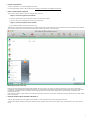
This section describes the basic steps of testing with eggPlant Functional, in order:
1. Create a connection to a SUT from eggPlant Functional
2. Capture images and write scripts [49].
3. Run scripts [18].
4. Read results [21].
[3]
.
Main Components of eggPlant Functional
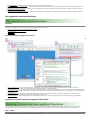
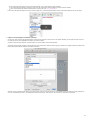
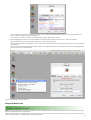
1. The Connection List [50]: This window allows you to create VNC connections to various systems under test (SUTs), whether via a direct
connection over Wi-Fi or USB, or a relayed connection through eggCloud or the iOS Gateway.
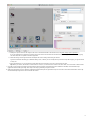
2. The Viewer Window [51]: This window allows you to see the SUT that you are currently connected to. You can have multiple Viewer windows open
at once, if you have multiple connections to different SUTs. The toolbar icons at the top of the window are used as part of the assisted scripting
functionality.
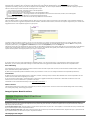
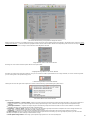
3. The Suite Window [52]: This window contains the script editor, as well as providing an interface for image management. This window also
provides access to the Turbo Image Capture functionality available in v15.
4. The Run Window [53]: This window shows a live view of the test results as a script is being executed. It also provides debugging capabilities.
Creating a Connection from eggPlant Functional
Creating a Connection from eggPlant Functional
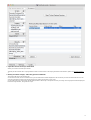
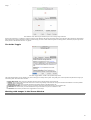
The Connection List provides an interface for managing your connections from eggPlant Functional to systems under test (SUTs). To open the
Connection List, where you can add or edit connection details and connect to SUTs, go to the Connection menu and select Connection List .
VNC vs. RDP
With eggPlant Functional, you can connect to a SUT in one of two ways:
2