1
6 Plots and Animations
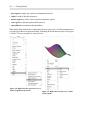
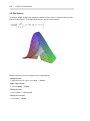
Maple can generate many forms of plots, allowing you to visualize a problem and further
understand concepts.
• Maple accepts explicit, implicit, and parametric forms to display 2-D and 3-D plots and
animations.
• Maple recognizes many coordinate systems.
• All plot regions in Maple are active; therefore, you can drag expressions to and from a
plot region.
• Maple offers numerous plot options, such as axis styles, title, colors, shading options,
surface styles, and axis ranges, which give you complete control to customize your plots.
For a reference to the types of plots available in Maple, see the Plotting Guide.
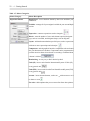
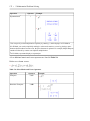
6.1 In This Chapter
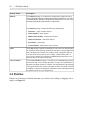
Section
Topics
Creating Plots (page 242) - Interactive and command- • Interactive Plot Builder
driven methods to display 2-D and 3-D plots
• Context Menu
• Dragging to a Plot Region
• The plot and plot3d Commands
• The plots Package
• Multiple Plots in the Same Plot Region
Customizing Plots (page 265) - Methods for applying • Interactive Plot Builder Options
plot options before and after a plot displays
• Context Menu Options
• The plot and plot3d Command Options
Analyzing Plots (page 271) - Plot analyzing tools
• Point Probe
• Rotate
• Pan
• Zoom
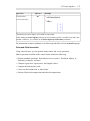
Creating Animations (page 272) - Interactive and
command-driven methods to display animations
• Interactive Plot Builder
• The plots[animate] Command
• The plot3d[viewpoint] Command
Playing Animations (page 277) - Tools to run anima- • Animation Context Bar
tions
241