1
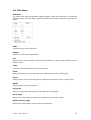
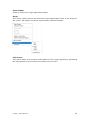
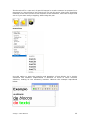
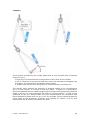
The eraser permits, as its name suggests, the removal of written objects. However,
it is interesting to note one aspect. In real life, if you write with a pencil or a pen,
you can later remove it with an eraser. However, if you try to use the eraser to
remove an object that you have glued, you will certainly not be successful. In the
scope of the tool A-migo, the same can be verified. You can use the eraser to
remove the result of writing with pens and brushes. However to erase a geometric
figure or an image for example, you will need to expressly remove it. In this case
there are four pre-configured modes. Three associated with different sized erasers
and a last one that permits the selection of an area to be completely delete.
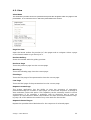
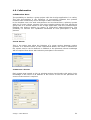
Character Recognition
The A-migo application internally enable the capability to automatically recognize
manuscript characters. Select this option to activate the referred functionality.
Geometric Figure Recognition
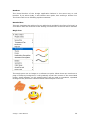
The recognition of geometric figures can be obtained in a completely automatic
manner, revealing itself as an extremely practical resource. To use it, activate this
option and try to design a geometric figure of one of the available types – Square,
rectangle, circumference, ellipse, parallelogram, triangle, trapezoid, or hexagon.
When the design is complete, the A-migo application will automatically substitute
your design with the perfect representation of a figure of deduced characteristics. In
addition to geometric figures, this tool permits the recognition of polygonal lines.
Line
A-migo – User Manual
21