1
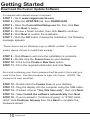
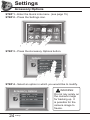
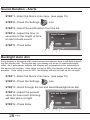
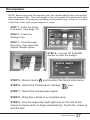
STEP 5 - Select Camera Delay. Adjust the value using the arrows,
then press Enter.
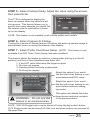
The CTS2 is designed to display the
back-up camera when the vehicle is put
into reverse. This feature allows you to
specify how many seconds you would like
the camera view to wait before it shows
up on the display.
Camera Delay
2.0
EXIT
ENTER
NOTE: This feature is not available on all vehicle makes and models.
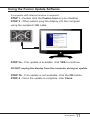
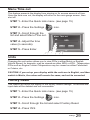
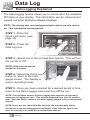
STEP 6 - Select Camera At Startup.
Turning the Camera At Startup feature ON allows the back-up camera image to
automatically come on during the startup of the display.
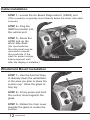
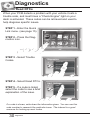
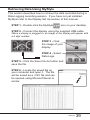
STEP 7 - Select Turbo Cool Down Setup. (NOTE: This feature is only
available if an EAS Turbo Timer display has been installed.)
This feature allows the engine to continue running (after the key is in the-off
position) until one of four conditions have been met:
1. If the EGT value falls below the target set point.
2. The time set expires
3. Pressing either the brake or gas pedal.
4. Touching the display.
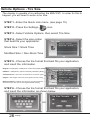
Select this option if you would
like the turbo timer feature to use
Turbo Cool Down Setup
a pre-determined EGT value.
Turn On and Use EGT
Turn On and Use Time
Do Not Use Turbo Timer
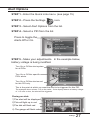
WARNING: Do not use this
feature in an enclosed area.
Select this option if you would
like the turbo timer feature to use
a pre-determined time setting
(seconds).
This option will disable the turbo
timer feature and take you back
to the previous menu.
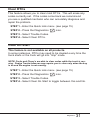
NOTE: 2007-09 Dodge trucks can be turned off using the key’s panic button.
2010 Dodge trucks can be turned off if the lock and panic buttons are pressed at
the same time.
Settings
25