1
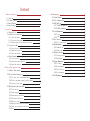
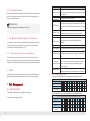
Content
1 Product Introduction
1.1
1.2
1.3
1.4
Overview
Product Feature
Board Diagram
Specification
2 Installation
2.1 Shipping List
2.2 Installation Precautions
2.2.1 Safety Precautions
2.2.2 Installation Requirements
2.2.3 The Requirements of Electromagnetic Environment
1
1
1
1
3
4
4
4
4
5
5
6
6
2.3 Installation Way
2.3.1 Rack Installation
2.3.2 Workbench Installation
2.3.3 Wall-hung Installation
7
7
2.4 Cable Connection
2.4.1 Device Connection
2.4.2 Configuration Cable Connection
2.4.3 Power Cable Connection
9
9
9
9
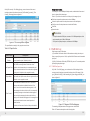
3 Function Configuration Guide
10
3.1 Computer Requirements
10
3.2 Set up Network Connection
3.2.1 Set Static IP for the Management Computer
3.2.2 Confirm the Network Connection by Ping Command
3.2.3 Cancel the Proxy Server
10
3.3 Web Page Configuration Guide
3.3.1 Start and Login
3.3.2 Change Language
3.3.3 Common Buttons Introduction
3.3.4 The Default Configuration
3.3.5 Web Users Timeout
3.3.6 Backup System Configuration Information
3.3.7 Restoring the Configuration Information
3.3.8 Quit
10
12
12
13
13
14
15
15
17
17
17
17
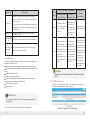
4 Web Management
4.1 System Status
4.2 Port Configuration
4.3 VLAN Setting
4.3.1 VLAN Configuration
4.3.2 VLAN forwarding
4.4 Trunk Management
4.4.1 Trunk
4.4.2 RSTP
4.5 Port Security
4.5.1 Static Address Latch
4.6 Web Management
4.6.1 SNMP Setting
4.6.2 Email Alarm
4.7 Network Statistics
4.7.1 Network Statistics
4.7.2 MAC Address
4.8 System Management
4.8.1 IP Address
4.8.2 User Management
4.8.3 Log Information
4.8.4 File Management
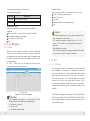
4.9 PoE Management
17
17
18
20
20
22
23
23
24
28
28
29
29
30
31
31
32
33
33
34
35
36
37