1
Preface
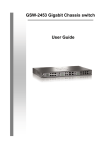
The user manual mainly introduces the product shape, product
positioning, hardware installation, Web management and other
related information.
I l l u st r a t i o n
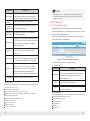
(1)Format of Graphics Interface
Format
< >
[ ]
Description
“<>”means button name, such as “click <Confirm> button”.
“[ ]”means window name, menu name and data table, such as“pop out [New
user] window”.
“/”is used to seperate Multi-level menu. Such as [file/new/folder] multi-level
/
menu [file] menu [new] sub-menu [folder] menu option.
(2)Va r i o u s S igns
Caution
Instruction
Improper operation may damage the device or cause data loss.
Supplemental instruction for operation contents.