1
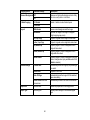
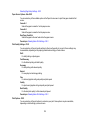
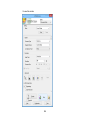
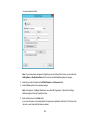
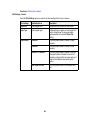
Photo
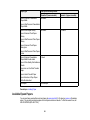
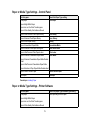
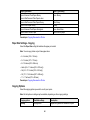
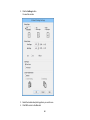
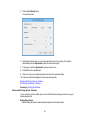
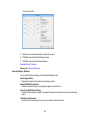
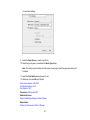
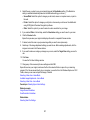
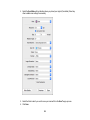
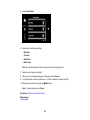
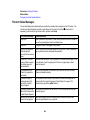
Adjustments
settings
Available options
Description
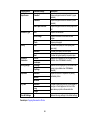
Fix Photo
Fix Photo On
Automatically adjusts the brightness, contrast, and
saturation of the photo based on the Scene Detection
setting that is selected
Fix Photo Off
Turns off automatic adjustments; see Note below
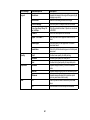
P.I.M
Uses your camera's PRINT Image Matching or Exif Print
adjustments
Scene Detection Automatic
People
Optimizes the Fix Photo adjustments for specific types of
photos; select the option that best matches your photo
content
Landscape
Night Scene
Fix Red-Eye
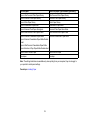
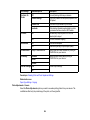
Filter
Brightness
Off
Does not automatically fix the red-eye effect in photos
On
Automatically fixes the red-eye effect in photos
Off
Turns off the filter setting
Sepia
Applies a sepia tone filter to the viewed or printed photo
B&W
Applies a black-and-white filter to the viewed or printed
photo
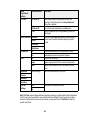
Various settings
Adjust individual qualities in your photo
Yes
Clears all photo adjustment settings
Contrast
Sharpness
Saturation
Clear All
Settings
No
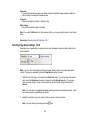
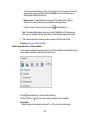
Note: Fix Photo uses a sophisticated face recognition technology to optimize photos that include faces.
For this to work, both eyes and the nose must be visible in the subject's face. If your photo includes a
face with an intentional color cast, such as a statue, you may want to turn off Fix Photo to retain the
special color effects.
209