1
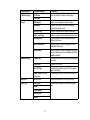
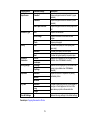
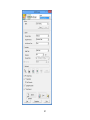
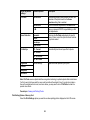
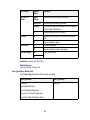
Photo Adjustment
settings
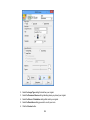
Available options
Description
Fix Photo
Fix Photo On
Automatically adjusts the brightness, contrast, and
saturation of the photo based on the Scene
Detection setting that is selected.
Fix Photo Off
Turns off automatic adjustments; see Note below
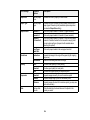
P.I.M.
Uses your camera's PRINT Image Matching or Exif
Print adjustments
Automatic
Optimizes the Fix Photo adjustments for specific
types of photos; select the option that best matches
your photo content
Scene Detection
People
Landscape
Night Scene
Fix Red-Eye
Off - Current
Automatically fixes the red-eye effect in photos
On - Current
Off - All Photos
On - All Photos
Brightness
Various settings
Adjust individual qualities in your photo
Contrast
Sharpness
Saturation
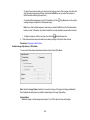
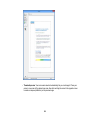
Note: Fix Photo uses a sophisticated face recognition technology to optimize photos that include faces.
For this to work, both eyes and the nose must be visible in the subject's face. If your photo includes a
face with an intentional color cast, such as a statue, you may want to turn off Fix Photo to retain the
special color effects.
Parent topic: Viewing and Printing Photos
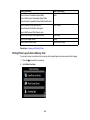
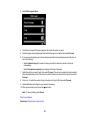
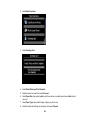
Print Setting Options - Memory Card
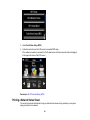
Select the Print Settings options you want to use when printing photos displayed on the LCD screen.
163