1
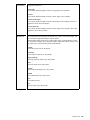
props.load(response)
response.close()
socket.close()
if (props.'x-interform -response' == '200') {
def url = props.'x-interform -result-url'?.substring(6)
exchange.out.body = new File(url).bytes
} else {
exchange.out.body = props
}
} as Processor
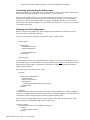
def context = new DefaultCam elContext()
context.addRoutes new GroovyRouteBuilder() {
void configure() {
//
new File('_W ORKSPACE').m kdirs()
//
context.properties.put('Cam elJettyTem pDir', '_W ORKSPACE')
//
Jetty needs this
from ('jetty:http://0.0.0.0:1234/')
.choice()
.when { it.in.getHeader('Cam elHttpMethod') == 'GET' }
.transform ().sim ple(W EB_PAGE)
.otherwise()
.process(generatePdf)
}
}
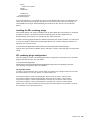
println 'Starting...'
context.start()
addShutdownHook {
context.stop()
println 'Stopped!'
}
synchronized(this) { wait() }
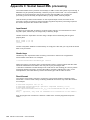
-----------------------------------------------------------------Prerequisites:
•
Groovy is installed (http://groovy.codehaus.org/)
•
InterForm NG is running
•
InterForm NG is accepting request from socket (Input Configurations > Network
Configuration)
Run the script:
groovy W ebFrontEnd.groovy
It m ight take som e tim e to start the first tim e, as it is downloading Cam el
(http://cam el.apache.org/).
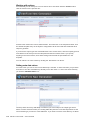
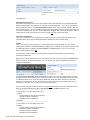
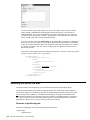
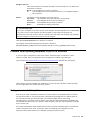
Open a browser:
http://localhost:1234/
Enter your nam e and press Enter.
How it works.
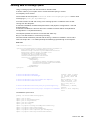
Cam el is started at line 69 in W ebFrontEnd.groovy.
At line 75 Cam el starts a Jetty server that listens on port 1234.
W hen a GET request is received (line 77) , it replies with the web page (line 11).
W hen a POST request is received (line 79), it
•
extracts the form data (line 30-32)
•
generates xm l-data (line 34)
•
opens a socket connection to InterForm NG (line 46)
InterForm A/S 143