1
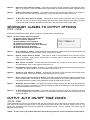
To replace a code simply enter the new code in the same address as the old code. This will overwrite the previous
code but maintain the user permissions as mapped to that user number.
To clear or delete a code in LED Keypad simply press the BYPASS button at the address where the old code is
stored. eg. P 3 E <BYPASS> E 3 beeps - Program light On or Flashing
When flashing back codes and values Zone indicators 1-8 are used to indicate digits 1-8. The digit 0 is indicated by
the "A" LED and 9 is indicated by the "B" LED
To clear or delete a code in LCD Keypad simply press the CONTROL + 0 buttons at the address where the old
code is stored. eg. P 3 E <CONTROL> + 0 E 3 beeps
USER CODE PERMISSIONS
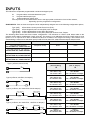
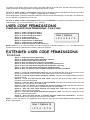
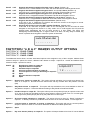
STANDARD USER CODE PERMISSIONS - P51E-P100E
Option 1 - Code is assigned to Area A
Option 2 - Code is assigned to Area B
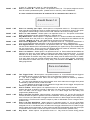
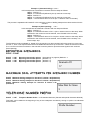
User 1 Options
Option 3 - Code is assigned to Area C
Option 4 - Code can Arm Area
12 3 4 5 6 7 8
Option 5 - Code can Disarm Area
Option 6 - Code can turn on Stay Mode
Option 7 - Code can turn off Stay Mode
Option 8 - Code can Operate control Functions.
NOTE: Options 1, 2 & 3 set the Area/s the code is assigned to whereby options 4, 5, 6, 7 & 8 determine the
functions the code can operate for the Area/s it has been assigned.
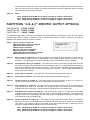
EXTENDED USER CODE PERMISSIONS
P101E-P150E
Option 1 - Code can override DOTL timer
Option 2 - Code can change dialler telephone numbers
Option 3 - Code can alter the real time clock
Option 4 - User can start a print-out of the event buffer
Option 5 - User can answer an incoming call and start up/down load
Option 6 - User can enter Client Program and change their code only
Option 7 - User can enter Client Program and change all codes
Option 8 - User can allow access to Installer Program mode from Client Mode
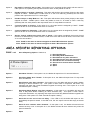
Option 1 - Code can override DOTL timer-The user can inhibit the door open too long function of the
access control feature (Control) while in Client Mode. Refer to user manual for details.
Option 2 - Code can change dialler telephone numbers -The User can change telephone numbers
from Client Mode.
Option 3 - Code can alter the real time clock -The User can adjust the Day ,Date & Time of
the Panel Clock from Client Mode.
Option 4 - User can start a print-out of the event buffer -The User can cause a printout of the 255
event buffer to a serial printer from Client Mode.
Option 5 - User can answer an incoming call and start up/down load -The User can cause the
panel to answer an in-coming call for upload/download from Client Mode.
Option 6 - User can enter Client Program and change their code only -The User can change
their own code only from Client Mode.
Option 7 - User can enter Client Program and change all codes -The User can change any of the
24 User codes from Client Mode.
Option 8 - User can allow access to Installer Program mode from Client Mode – Access to
Installer Mode can be granted by this user from Client Mode.
NOTE: If a user has option 7 or 8 assigned to their code then they can also initiate Walk-test Mode (P836E) from
Client Program Mode.
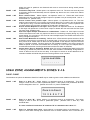
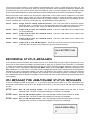
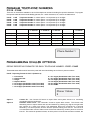
User 1 Options B
12 3 4 - 6 7 8