1
Chapter 10: Debugging and Monitoring
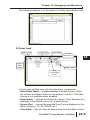
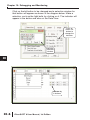
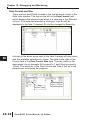
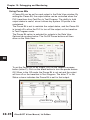
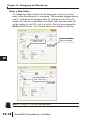
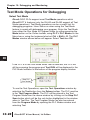
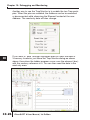
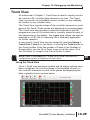
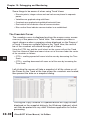
The following diagram is an example of a newly opened Data View.
A Closer Look
Data Format
Select
Edits
Mode
Format Size
Clear Edits
Write
Current Edit
to PLC
Write All
Edits to PLC
1
2
3
D
5
6
7
8
9
10
Edits Column
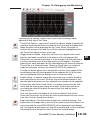
A closer look at Data View will show the basic components.
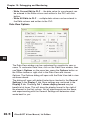
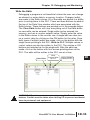
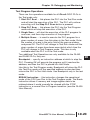
• Select Edits Mode Ҁ enables/disables the Edits column. When
the column is enabled, Edits can be written to the PLC. The Edits
column is not available when disabled.
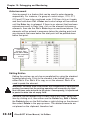
• Data Format Ҁ change the format (bit, binary, Octal, decimal, etc.)
displayed in the Status column for a selected row.
• Format Size Ҁ choose the selected Data Format displayed in the
Status column(1, 16, 32, WORD, etc.).
• Clear Edits Ҁ this will clear all data entries from the Edits column.
DirectSOFT 6 User Manual, 1st Edition
1
2
3
4
A
B
C
D
10-3