1
Table of Contents
Chapter 1 Content Description
—1
Section 1 On-Lap Monitor and Accessories
—1
Section 2 Notices of Touch Screen Monitor
—2
Section 3 Safety Precautions
—3
Section 4 Safety Instructions
—3
Section 5 Product Maintenance
—3
Section 6 LCD Pixel Statement
—3
Section 7 Disposal of Electronic Equipment
—4
Chapter 2 Installation Instructions
—4
Section 1 Install Stand 4
—4
Section 2 Connect the Video Cable and USB Touch Output and Power
Cable
—4
Section 3 Connect the 5V 2A Charger (Optional)
—6
Section 4 Install the VESA 100 Mount (Optional)
—6
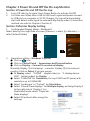
Chapter 3 Power On and Off the On-Lap Monitor
Section 1 Power On and Off the On-Lap Monitor
—7
—7
Section 2 Monitor Display Setting
—7
Section 3 Windows 8 Touch Gesture Description
—8
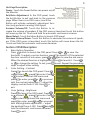
Chapter 4 Hot Keys, LED lights and OSD Instructions
—8
Section 1 Hot Keys & LED lights Description
—8
Section 2 OSD Description
—9
Section 3 Low Power Protection Warning
—11
Chapter 5 Specification
—11
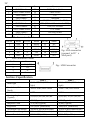
Section 1 Plug and Play
—11
Section 2 Pin Assignment and Standard Default Modes
—11
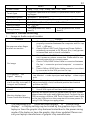
Section 3 Specification
—12
Section 4 Troubleshooting
—13