1
CHAPTER 4. DIGITAL COMMUNICATION
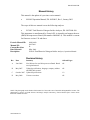
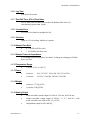
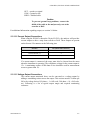
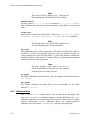
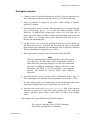
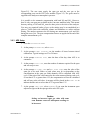
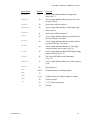
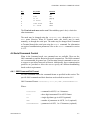
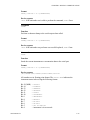
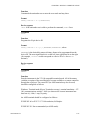
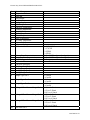
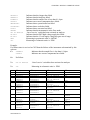
Enter
Key Label
ENTER
enter
7
HOME
exit
9
PG UP
page up
8
UP ARROW
up
2
DOWN ARROW
down
6
RT. ARROW
select
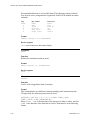
Key
Function
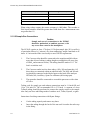
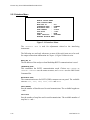
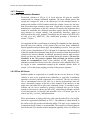
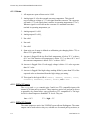
The Terminal mode must not be used if the multidrop port is daisy-chained to
other instruments.
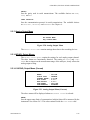
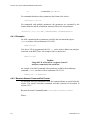
The mode may be changed using the INTERFACE MENU through the INTERFACE
MODE menu selection. When in Terminal mode, this choice may be made
manually, or through the serial port. The mode may be changed from Command
to Terminal through the serial port using the REMOTE command. For information
on required communication parameters refer to the REMOTE command in section
4.4.5.2.
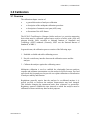
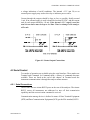
4.4 Serial Command Control
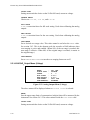
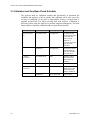
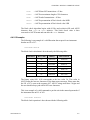
When in the Command mode, two command sets are available. These are the
9800 command set and the Bavarian Network command set. The 9800 command
set is recommended for general use. The Bavarian Network command set was set
to support a specialized network in Bavaria. Additionally, three communication
protocols are provided to allow the user to specify the different handshaking
based on their requirements.
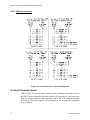
4.4.1 9800 Command Set Format
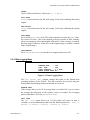
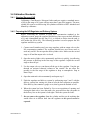
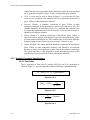
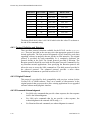
All 9800 commands follow the command format as specified in this section. The
specific 9800 commands and their functions are described in section 4.4.5.
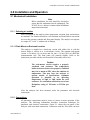
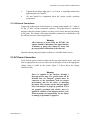
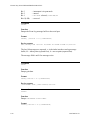
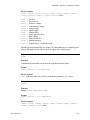
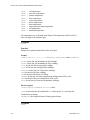
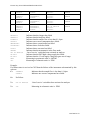
9800 Command Format: <CCCCCCCCC>,<III>,<D>,<NN>,<PPPPPPPPPPPP><T>
Where:
98437600 Rev D
<CCCCCCCCC>
= command in ASCII, 1 to 9 characters
<III>
= three-digit instrument ID in ASCII format
<D>
= single digit data type in ASCII (optional)
<NN>
= number of parameters in ASCII, 1 to 9 (optional)
<PPPPPPPPPPPP>
= parameter in ASCII, 1 to 15 characters (optional)
4-7