1
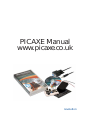
GETTING STARTED
www.picaxe.co.uk
Section 1
2
Contents
About this manual ............................................................................................ 4
Software Overview ............................................................................................ 4
Software Comparison ........................................................................................ 5
Software Quick Choice Guide .............................................................................. 5
Third Party Software ......................................................................................... 5
Technical Support Forum ................................................................................... 5
Quick Start ...................................................................................................... 6
At a glance - specifications: .............................................................................. 7
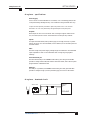
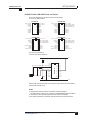
At a glance - download circuit: .......................................................................... 7
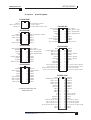
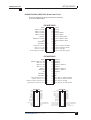
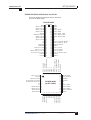
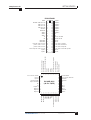
At a glance - pinout diagrams: ........................................................................... 8
What is a microcontroller? ................................................................................. 9
Microcontrollers, input and outputs .................................................................. 10
What is the PICAXE system? ............................................................................. 11
Building your own circuit / PCB ....................................................................... 11
What is a PICAXE microcontroller? .................................................................... 12
PICAXE chip labels ......................................................................................... 12
Which PICAXE chip? ........................................................................................ 13
PICAXE Variant Feature Overview ...................................................................... 15
Using the PICAXE system. ................................................................................ 16
PICAXE Starter Packs ....................................................................................... 17
PICAXE Project Boards .................................................................................... 18
Software Installation ...................................................................................... 19
Installation on RM CC3 networks ...................................................................... 19
Installing the AXE027 USB cable drivers ............................................................ 20
Downloading over a network using TCP/IP ......................................................... 21
PICAXE Power Supply ...................................................................................... 22
PICAXE-08/08M Pinout and Circuit ................................................................... 24
PICAXE-14M Pinout and Circuit ........................................................................ 25
PICAXE-20M Pinout and Circuit ........................................................................ 26
PICAXE-18/18A/18M/18X Pinout and Circuit ...................................................... 27
PICAXE-28A/28X/28X1/28X2 Pinout and Circuit ................................................. 28
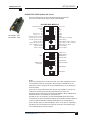
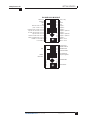
PICAXE-28X1/28X2 Module and Circuit .............................................................. 30
PICAXE-40X/40X1/40X2 Pinout and Circuit ........................................................ 32
USB Download Circuit ..................................................................................... 35
Serial Download Circuit ................................................................................... 36
Enhanced Serial Download Circuit ..................................................................... 37
Download Cables ............................................................................................ 37
Reset Circuit .................................................................................................. 38
Resonator ..................................................................................................... 38
Testing the System ......................................................................................... 40
Hard-reset procedure ...................................................................................... 41
Download CheckList ........................................................................................ 42
Understanding the PICAXE memory. .................................................................. 43
Flowchart, Logic or BASIC? .............................................................................. 52
BASIC Simulation ........................................................................................... 53
Interfacing Circuit Summary ............................................................................ 56
Tutorial 1 – Understanding and using the PICAXE System .................................... 57
Tutorial 2 - Using Symbols, Comments & White-space ......................................... 60
Tutorial 3 - For…Next Loops ........................................................................... 61
Tutorial 4 - Making Sounds .............................................................................. 62
Tutorial 5 – Using Digital Inputs ...................................................................... 63
Tutorial 6 – Using Analogue Sensors ................................................................. 64
Tutorial 7 - Using Debug ................................................................................. 65
Tutorial 8 - Using Serial Terminal with Sertxd ..................................................... 65
Tutorial 9 - Number Systems ............................................................................ 66
Tutorial 10 - Sub-procedures ............................................................................ 67
Tutorial 11 - Using Interrupts .......................................................................... 69
revolution
(c) Revolution Education Ltd. Email: info@rev-ed.co.uk Web: www.rev-ed.co.uk
Version 6.7 01/2009
All rights reserved.
2