1
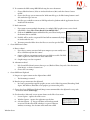
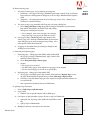
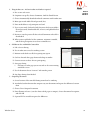
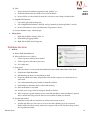
iv. A prefix can be added and shows up before each page number on the Pages thumbnails
v. When printing, the numbers of the thumbnails in the Pages
panel control the printing process
Intro to
Acrobat
Fall 2012
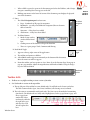
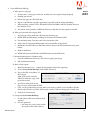
vi. To Add page numbers to the actual PDF, use Headers and
Footers
G.Adding backgrounds and watermarks
i.
Definition – elements that are added over or under the content to provide a cohesive look, prevent unauthorized use, or
indicate special status
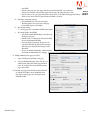
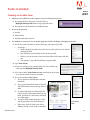
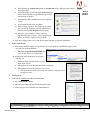
ii. Both elements are applied using the same approach as for Headers and Footers –
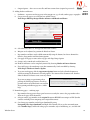
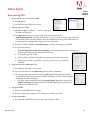
Tools>Pages>Edit Page Design>Background/Watermark> Add (or Update or Remove)
iii. Backgrounds can be color or an image (jpg, pdf, bmp)
a. Position may be decided and appearance of background can be modified, including whether
to display on screen and/or when printed (Appearance Options button)
b. Background settings can be named and saved for future use
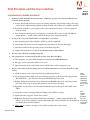
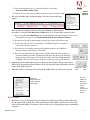
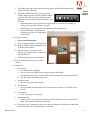
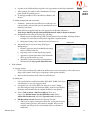
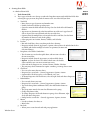
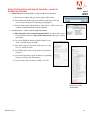
iv. Watermarks may be text or an image (PDF, Jpg or
Bitmap images)
a. Position, appearance may be modified and settings
may be saved for future use.
b. Page range can be set from Page Range Options
c. Appearance Options determines if the Watermark
shows up in print and/or on screen
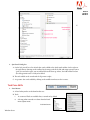
d. Watermark can be removed by selecting Remove
Watermark in the Pages panel>Watermark tool
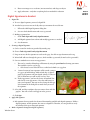
Watermarks
2. Tools>Content
A.Copying content
i.
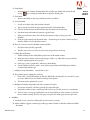
Choose Select tool from Select and Zoom toolbar, move cursor to document, select either text or
image, right (control) click Copy or Copy Image (other options available)
ii. Move to other document, email, whatever, and click Paste
B. Editing text
i.
Select tool from Select and Zoom toolbar WILL NOT WORK. This selects
text and objects so you can copy/paste them
ii. Can update text, even add or delete text, but process can be “clunky” –
not slick word processing Can’t do major editing. Acrobat is not Word or
InDesign! And remember that the original document is not updated
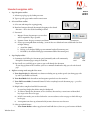
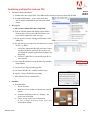
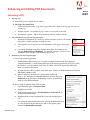
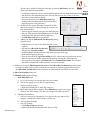
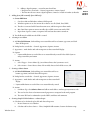
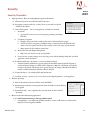
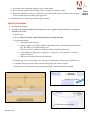
iii. Choose Tools>Content > Edit Text & Objects, There are 3
choices, the Edit Document Text tool, Edit Object tool, and the
Add or Edit Text Box tool (called the Typewriter tool in Acrobat 9)
iv. Edit Document text tool (formerly the Touchup Text tool)
a. Allows you to replace existing text, add to text, and to place new text
outside existing text boxes, if the fonts are available. If they are not
available, you will get an alert, and Acrobat will try to substitute a
similar font.
Windsor Green
27