1
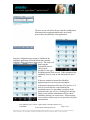
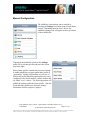
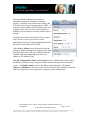
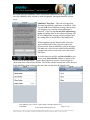
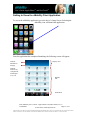
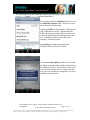
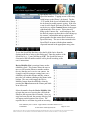
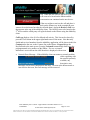
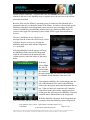
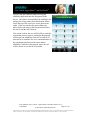
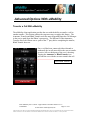
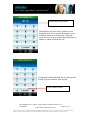
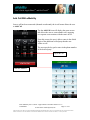
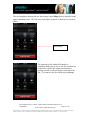
User‟s Guide Apple iPhoneTM and iPod TouchTM Speed Dial List allows the user to store up to 10 speed dial numbers. Tapping on one of the entry fields brings up the iPhone‟s keyboard. Tap the .?123 button in the lower left-hand side to change the keyboard to enable numeric typing. If the user wants to add a Speed Dial entry from the Contacts on the device, tap the Contacts button in the upper right-hand side of the screen. This action will bring up the Contacts list – scroll and tap to find the desired contact, tap that choice which brings up the contact‟s information and tap again on the phone number for that contact that is desired as a Speed Dial entry. The user is then returned to the Speed Dial List menu with the phone number requested inserted in the appropriate entry point. To use the Speed Dial function, select the KeyPad choice from the Options menu bar to bring up the dialing pad. Enter the number of the Speed Dial (e.g., 3) entry and the tap Call. The Speed Dial entry is converted to the full number and the call is placed according to the user‟s instructions. Device Mobility List is a unique feature on the uMobility client. This feature allows the user to move a call from the iPhone to another number (device) that the user‟s service can contact. An example would be someone coming home, on a uMobility call on their iPhone and they want to move the call without redialing to the phone in the kitchen. The user could engage the Device Mobility feature from the uMobility client by pressing the Move button on the feature pad while in an active call. Select the number from the Device Mobility List to begin the process of moving the call from the iPhone to the requested device/number. Once an entry has been selected, the message Moving Call will appear on the bottom of the screen. The requested device will then ring with an incoming Title: uMobility User‟s Guide – Apple iPhoneTM and iPod TouchTM 2.1.4 Confidential Page 18 of 41 2003-2010 Varaha Systems, Inc. THIS DOCUMENT AND THE DATA DISCLOSED HEREIN OR HEREWITH IS PROPRIETARY AND IS NOT TO BE REPRODUCED, USED OR DISCLOSED IN WHOLE OR IN PART TO ANYONE WITHOUT THE WRITTEN PERMISSION OF VARAHA SYSTEMS. COPYRIGHT, © Varaha Systems 2008