1
Static Direct Limited, 74a The Broadway, Chesham, Buckinghamshire HP5 1EG
Tel: +44 1494 792 177 Fax: +44 1494 794 201 E-mail: staticdirect@btinternet.com
Web: www.staticdirect.com
Role of measurements: How do you know if you have problems with static, how do you
find the source and cause of problems, how do you know if remedial actions are effective
and how do you choose appropriate material? The answer is measurements.
2. THE JCI 100 STATIC MONITOR
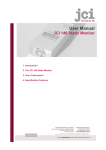
The JCI 100 is a compact induction probe instrument to measure the voltage of surfaces
at a distance. The voltage sensitivity is up to 20,000 volts full scale for 100mm (4")
separation. Measurements are shown on a liquid crystal display with decimal point.
For absolute measurements, the instrument would need to be switched on in a 'static free'
environment because it is an 'induction probe' type instrument.
Interpretation of the readings obtained with the JCI 100 needs to be approached with
care. For instance, a charged plastic film lying on an earthed surface may show only a
low surface voltage - but this (and the associated electrostatic energy) can increase
dramatically when it is lifted up. The significance of readings depends very much on the
practical situation and the type of risk or problem involved. The user needs to be aware of
the need to assess the significance of readings appropriately. If in doubt it will be helpful
to consult some of the Codes of Practice or Standards available, for example 'The control
of undesirable static electricity' BS 5958: Part 1: 1991 and/or 'Methods for measurements
in electrostatics' BS 7506: Part 1: 1995 Part 2: 1996.
3. USE OF INSTRUMENT
3.1 Getting started:
By the time you read this User Manual you will already have opened the JCI 100 carrying
case. Now take out the instrument. Hold the instrument in the hand with the liquid crystal
display upward and the plate-sensing aperture away from the body. Take the earth
bonding lead (yellow) out of the case and connect it to the 'earth bonding point' on the
right hand side of the back of the instrument. Connect the other end of the lead to an earth
point - using either the 'Durable Dot' connector or the crocodile clip.
Now switch on the instrument. The ON/OFF switch on the front face is a press & hold
switch. A piece of plastic (polythene bag, biro) rubbed and held in front of the sensing
aperture will make the displayed numbers change - and give larger readings when closer.
3.2 Aspects of operational use:
Earth bonding: The instrument needs to be bonded to earth via the bonding point on the
back if the readings are to be meaningful.
(Supply of all Static Direct products & services are subject to standard terms & conditions)
Registered Number 4446650
Vat Registration Number 818257612
28/01/2007