1
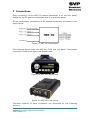
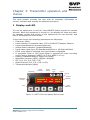
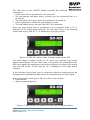
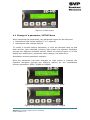
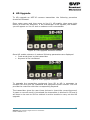
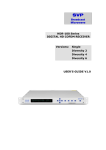
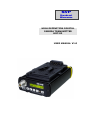
Chapter 3: Transmitter operation and menus This third chapter provides the user with all necessary information to control, configure and operate the equipment properly. 1 Display and LED To turn the equipment on and off, keep ON/OFF button pressed for several seconds. When the equipment is turned on, the display will show the startup message (model and version of the equipment) for two seconds, and then it will display the main screen. In the main screen the following parameters are displayed: Frequency (MHz) Input selection (Composite video, SDI or DVB-ASI Transport Stream) Input signal detection (presence/absence) Audios status indication (enabled/disabled) Input video signal type: SD Standard definition or HD High definition If ASI input signal is selected, the input bitrate is displayed If composite video or SDI input signal is selected the video encoding profile used is displayed (MPEG-2 4:2:2 or MPEG-2 4:2:0) Latency (Standard delay or Super Low Delay) Modulation Scheme (QPSK, 16QAM o 64QAM) FEC (1/2, 2/3, 3/4, 5/6 o 7/8) Guard Interval (1/4, 1/8, 1/16 o 1/32) Transmitted bitrate (Mpbs) Frequency Input Selection Audio Status Input Type Profile Latency Output bitrate Modulation Scheme Guard Interval FEC Figure 1.1 HDT-02’s front panel/ Main screen 12 HDT-02 High Definition Digital Camera Transmitter USER’S MANUAL V1.0: