1
o/A..................................
..........................................2s
1. How to tum off the software runhing in the background loo much ... .25
.. ... ..26
2. Howto quickly set up Email .............................. .............................
3-HowdoIviewthecapacityofSDcardcase.........................................26
4.HowtosaveeledricityUP520..............................................................26
5.HowUP520lockscreen,topreventothersfiomusing.......................26
6. Vvhy does not the USB data cable links your computer............ ... ... ....26
7. Howto install a program on a non-Ahdrcid Market................ .. ...... .....26
8. ln broreing the web or other applications, how lo sitch to other
-
applications
entd the silent mode quickly. ..
I H@lo
': -r. lo fdffid
'- rx::Eerdqytd
SMS / MMS.
..... ..26
21
..
21
.
27
: r * !r.@ -Eg[T gq.9 E h#ll€d t@ mily appli€tids, how to
... ....-............................2?
*
.....27
13 CGastd.adElge
,{- Cq6r,lrdf6to g+pdtSEgrop.......,...-..... ...-.-...-...-..---.--..------21
15. cffids -d Srtls dcge €pacity limilsthe numbs oi...............-...27
'
16-
Hmto
set the SD card, personalized ring tones .....-.......-................
'17. How to sync the phone contac'ts to
the original UP52O..........
lS.HowtousetheUP520accessvvifi(WLAN) . .
'19. How
to Find Contact............
.....................-...................
..27
............21
........21
.......-..--..--..--.---.--27
20. how to doMload applications for the UP520 ........................................27
21. What are commonly used android
forum.......
- .....- .
..
....
28
22. How do I delete the doMloaded sofrware. ...................-.......................28
23. How to view mobile phone
wrsion information........................-............28
24. How do I copy SIM card contact information.........................................28
25. why the message has a difierent time and date display...... ...............28
26.UP520 whether to support the Jaw........................................................28
27.How
b
open developer options ........................
........................................28
Badc
t.rm
Root. SuperAndroid system isthe administEtor user acc6unt, which has the
authority lo conhol the whole system, and ohly hare the prMleges to lhe
original system can be retreshed forthe revision ofthe wrious syslems;
APK: Android application types, withthe cab and theWindore Mobile ptatfom,
like exe fles, the user can be installed diredly:
Eclari: The name of one of the Android platform, version, and lhe
c@esponding wrsion number is 4.4, UP520 use this vssion;
flebkit: Core Android platfom, brMer, and howApple,s Safari, Google,s
Chrome and FireFox are using this kemel as a web page rendering
mechanism;
CPhone. To use coogle Android mobile phone operating system developed
collectively, U P520, etc.;
Activesync: Push email solution to support Microsofr proprietarytechnology,
preprimary mailbox servers at Microsofr (Exchange setuer) to provide
support, ahd now Google's Gmail also provided support
G Sensor: Is the acceleration sensors for mobile phones can provide the
direction of gravity sensors, uhich begin with the letter G represents the
gEvity, the latter Snesor meant to represent the sensor
Ho{ Introduction
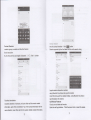
lffrodudion phon6 koys
Menu button: Click on the program display the corespohding menu item, the
user can choose the coresponding sub-menu functids;
Hme buton; Click on the background into the curent application will, and
enter the main interface; Note that using this keywill not really exit the
application, the application will continue to run in the backgroundl
Back button: Click to fall back to previous slep ofthe operation ofthe
interface;
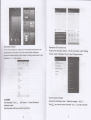
lfrrodudion widgds
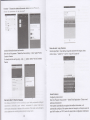
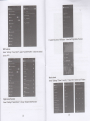
1, long press the space ofthe idle -choose widgets ,add widgets to the maih
screen: in the widgets inteface - > Long press a widget can add to the main
screen
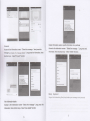
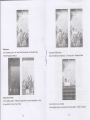
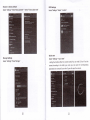
2, change the position o, widgets: in the main interface, Long press a widget,
sliding the widgd can change the position ofthe widget in the maih screen
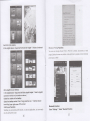
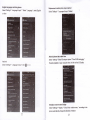
3. Delete widgetsr ih the main interface, Long press a widget, the top of the
main sqeeh will be delete ", sliding the widget to delete , when there is red
can let go, the widget is deleted
3
',,