1
1.
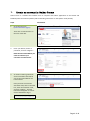
Create an account in Online Forms ..................................................................................... 4
2.
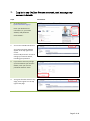
Log in to my Online Forms account, and manage my account details................................ 5
3.
Create, Edit or Delete Contacts ........................................................................................... 6
4.
Manage Project Categories ............................................................................................... 10
5.
Create a new project .......................................................................................................... 11
6.
Complete the form.............................................................................................................. 13
7.
Upload study documents ................................................................................................... 15
8.
Transfer a form to another user ......................................................................................... 17
9.
Check for Completeness .................................................................................................... 20
10.
Request or Grant Authorisations ....................................................................................... 21
11.
Submit a form ..................................................................................................................... 26
12.
Follow the progress of my submission and view correspondence from HDECs/SCOTT . 28
13.
Recall an application submitted for HDEC review ............................................................. 29
14.
Submit a response for a provisionally approved study ...................................................... 30
15.
Duplicate or Delete a Project ............................................................................................. 31
16.
Set up email notifications for a project ............................................................................... 32
17.
Create and submit a Minimal Dataset Form for a study approved before 1 July 2012 ..... 35
18.
Create and submit a Post Approval Form.......................................................................... 37
19.
Add a new locality .............................................................................................................. 40
Appendix ...................................................................................................................................... 42
Page 2 of 46