1
CONTENTS
TABLE OF CONTENTS
WELCOME ........................................................................................................3
System Requirements and Recommendations...................................................4
Understanding Form Clicks.............................................................................5
Instructions for Online User’s Guide ................................................................7
Conventions Used in This Guide ......................................................................7
GETTING STARTED .............................................................................................8
Installing the Software ..................................................................................8
Initial Setup ..................................................................................................8
The Setup Windows.......................................................................................9
System Configuration and Property Information.............................................. 13
A Tour of the Property Database Window ....................................................... 16
Set up the Default Lease.............................................................................. 19
THE PROPERTY DATABASE ................................................................................. 20
Current Leases and Preleases ....................................................................... 20
Time Saving Features .................................................................................. 23
Lease Renewals .......................................................................................... 26
Other Database Commands.......................................................................... 27
PRINTING LEASE FORMS ................................................................................... 29
The Print Window........................................................................................ 29
Batch Printing............................................................................................. 30
Printer Setup.............................................................................................. 31
THE FORM WINDOW ......................................................................................... 32
A Tour of the Form Window.......................................................................... 32
REDBOOK Forms......................................................................................... 33
OTHER FEATURES AND CAPABILITIES ................................................................... 34
Importing Internet Rental Application ............................................................ 34
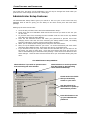
Administrator Setup Features ....................................................................... 35
Backup and Restore Database ...................................................................... 36
Importing Data from Property Management Software ...................................... 36
Exporting the Property Database .................................................................. 37
Automatic Software Update.......................................................................... 37
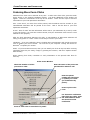
Ordering More Form Clicks ........................................................................... 38
MISCELLANEOUS TOPICS ................................................................................... 39
Low System Resources ................................................................................ 39
Installing onto a Network ............................................................................. 39
Import File Structure ................................................................................... 39
License Agreements and Upgrades ................................................................ 40
Packing the Database .................................................................................. 40
Keyboard Shortcuts..................................................................................... 40
When You Have Problems ............................................................................ 41
Some Printing Solutions............................................................................... 42
Online Help ................................................................................................ 42
TAA FORMS FOR WINDOWS - USER’S GUIDE
BLUE MOON SOFTWARE