1
Color It!® 4.5 Manual
Chapter 1: Getting Started 3
1: Getting Started
Color It!™ is a powerful, professional-level image editor that is also intuitive and easy to use.
With Color It!, you can create original works or manipulate existing images with ease.
This manual contains a Tutorial/Tour section (Chapters 2–6) that takes you step-by-step through
the basic operations of the program. This is the best way to learn how to use Color It! A reference
section follows that explains the features offered by the program, arranged by palette and menu.
System Requirements
• A Macintosh computer with a G3 or greater PowerPC chip (G3, G4 or G5) or a Macintosh
with an Intel chip (Intel-based Macs utilizing Apple’s Rosetta technology)
• At least 6 megabytes of random access memory (RAM)
• A hard disk with at least 10 megabytes free
• Mac OS X version 10.0 or above (Color It! 4.5 will not function in OS 9 or before)
• Video that supports at least 256 grays or colors
The Color It! Program Package
The Color It! package includes the Color It! CD-ROM which contains the Color It! program and a
.pdf version of this Manual.
Before You Begin
Make a Backup of the Color It! program
Your Color It! license permits you to make a backup copy of the Color It! program, just in case
anything happens to the original CD. We recommend your safely store the original and backup
disks in separate places.
Make a Backup of the Color It! program
No, this is not a misprint, we really want to emphasize the importance of making a backup,
especially if you purchase and download a copy from our web site. If you do not make a backup
and somethings happens to your one and only copy of the Color It! program, it may cost you
money to get a replacement. So make a backup, OK?
Know Your Basic Macintosh Operations
This manual assumes you are familiar with the basic Macintosh operations—point, click, drag,
open, save, etc. If you are not familiar with these operations, refer to the manual that came with
your Macintosh for more information.
Installing Color It!
NOTE: It is recommended that you have at least 10 megabytes of free space on your hard drive before
installing.
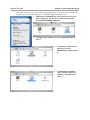
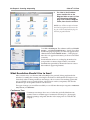
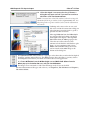
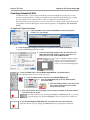
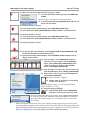
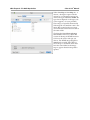
To install Color It!, insert the Color It! CD-ROM into your drive. Double-click the icon for the
CD when it appears on your desktop. Drag the Color It! program icon onto your hard drive.
It is recommended that you put the Color It! program in your Applications folder (type
[Command-Shift-A] in the Finder to open your Applications folder), but you may put it anywhere you wish. You will also find it helpful to copy the Tutorial folder to your hard drive
as well. This contains files you will be using as you proceed through the Tutorial/Tour section of
this manual.. Double click the Color It! icon on your hard drive to start the program.