1
Table of Contents
Acrobat JavaScript Dialogs..................................... 3
What are they? ............................................................................................................................ 3
Layout Rules ............................................................................................................................... 5
AcroDialogs.................................................... 5
Activating the AcroDialogs Window.......................................................................................... 7
Window Layout .......................................................................................................................... 7
Sub-Windows.......................................................................................................................... 7
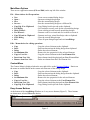
Main Menu Options ................................................................................................................ 8
File – Menu choices for file operations .............................................................................. 8
Edit – Menu choices for editing operations ........................................................................ 8
Context Menu.......................................................................................................................... 8
Easy Access Buttons ............................................................................................................... 8
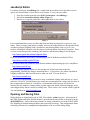
JavaScript Editor......................................................................................................................... 9
Opening and Saving Files ........................................................................................................... 9
C:\Program Files\Adobe\Acrobat 7.0\Acrobat\Javascripts\JSADM ................................ 10
Creating JavaScript Dialogs................................... 10
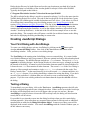
Your First Dialog with AcroDialogs......................................................................................... 10
Testing a Dialog........................................................................................................................ 10
Setting Element Properties........................................................................................................ 11
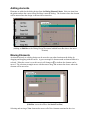
Adding elements ....................................................................................................................... 12
Moving Elements ...................................................................................................................... 12
Resizing Elements..................................................................................................................... 13
Laying Out Complex Element Configurations ......................................................................... 13
Labeled Edit Box .................................................................................................................. 15
Radio Button Cluster............................................................................................................. 16
Copy/Paste Elements ................................................................................................................ 17
User Elements ........................................................................................................................... 17
Dialog Element Properties..................................... 18
JavaScript Properties................................................................................................................. 18
Using Font Properties ........................................................................................................... 18
Radio Button Properties........................................................................................................ 18
Tabbing ................................................................................................................................. 18
Hot Keys ............................................................................................................................... 19
Special Properties...................................................................................................................... 19
Dialog Properties .................................................................................................................. 19
Element Properties ................................................................................................................ 20
Setting and Getting Data from the Dialog...................... 21
Using Radio Buttons ................................................................................................................. 22
Using Lists ................................................................................................................................ 23
List Box Element .................................................................................................................. 23
Tree List Element.................................................................................................................. 25
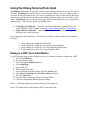
Using the Dialog Script with Acrobat.......................... 27
Dialog in a PDF Form Field Button.......................................................................................... 27
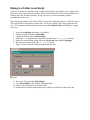
Dialog in a Folder Level Script................................................................................................. 28
Dialog in an FDF file ................................................................................................................ 30
Dialog in an XFA form (Live Cycle Designer) ........................................................................ 31
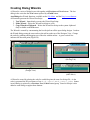
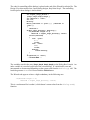
Creating Dialog Wizards....................................... 32
About: WindJack Solutions, Inc................................ 34