1
7DEOHRIFRQWHQWV
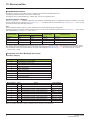
Table of contents ____________________________________________________________________________________________ 3
Important Information _________________________________________________________________________________________ 4
About the book ______________________________________________________________________________________________ 5
Before you begin_____________________________________________________________________________________________ 6
Documentation structure_______________________________________________________________________________________ 7
Introduction _________________________________________________________________________________________________ 8
Presentation _____________________________________________________________________________________________ 8
Notation ________________________________________________________________________________________________ 8
Hardware setup _____________________________________________________________________________________________ 9
Receipt _________________________________________________________________________________________________ 9
Hardware description ______________________________________________________________________________________ 9
Installing the card in the drive. See the Installation Manual (1760643 or 1760655). _____________________________________ 10
Connecting to the EtherNet/IP network __________________________________________________________________________ 11
Card RJ45 connector pinout ________________________________________________________________________________ 11
Example of connection to an EtherNet/IP network _______________________________________________________________ 11
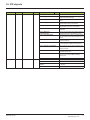
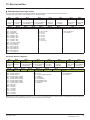
Ethernet menu _____________________________________________________________________________________________
Access to EtherNet menu via graphic display terminal____________________________________________________________
Access to EtherNet menu via the integrated display terminal ______________________________________________________
Ethernet/IP configuration with the HMI ________________________________________________________________________
Detail of the configured parameters __________________________________________________________________________
Assemblies and scanner configuration ________________________________________________________________________
13
13
13
14
16
16
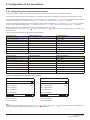
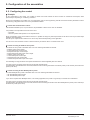
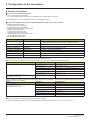
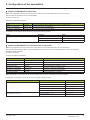
Configuration of the assemblies ________________________________________________________________________________
Configuration of the assemblies: overview _____________________________________________________________________
Configuration of the assembly (100,101) Schneider-Electric native profile ____________________________________________
Configuration of the assembly (103,104) Allen Bradley® profile ____________________________________________________
Configuring the communication scanner ______________________________________________________________________
Configuring the control ____________________________________________________________________________________
17
17
18
19
20
21
Fault management __________________________________________________________________________________________ 26
Fault management _______________________________________________________________________________________ 26
Status of the LEDs _______________________________________________________________________________________ 27
Configuration of monitored parameters __________________________________________________________________________ 28
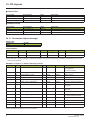
Standard Web server ________________________________________________________________________________________
Webserver function_______________________________________________________________________________________
Applets ________________________________________________________________________________________________
Access to the Web server__________________________________________________________________________________
Web server user interface__________________________________________________________________________________
“Home” menu ___________________________________________________________________________________________
"Monitoring" menu _______________________________________________________________________________________
Diagnostics _____________________________________________________________________________________________
“Setup” menu ___________________________________________________________________________________________
“Security” Submenu ______________________________________________________________________________________
“Documentation” menu ____________________________________________________________________________________
29
29
30
31
32
32
32
36
39
45
46
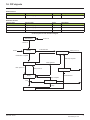
Integration in RSLogix _______________________________________________________________________________________
Principle _______________________________________________________________________________________________
Procedure _____________________________________________________________________________________________
Registering the EDS file in RSlogix __________________________________________________________________________
47
47
47
54
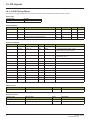
CIP objects ________________________________________________________________________________________________
Supported object classes __________________________________________________________________________________
Identity object ___________________________________________________________________________________________
Message router object ____________________________________________________________________________________
Ethernet Link object ______________________________________________________________________________________
TCP/IP Interface object____________________________________________________________________________________
Connection object manager________________________________________________________________________________
Motor data object ________________________________________________________________________________________
Control supervisor object __________________________________________________________________________________
AC/DC Drive Object ______________________________________________________________________________________
Assembly object _________________________________________________________________________________________
Application objects _______________________________________________________________________________________
57
57
57
61
63
66
68
69
70
72
73
74
Explicit Messaging __________________________________________________________________________________________ 76
Device profiles _____________________________________________________________________________________________ 77
HRB10065 02/2013
3
efesotomasyon.com