1
Administration Preferences
Textbook Tracker Controller
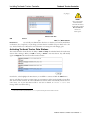
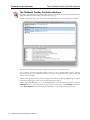
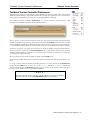
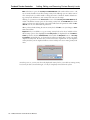
When you click the OK button, the new user Name and Security Level will appear in the Textbook
Tracker Users field.
Removing Users
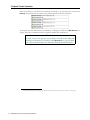
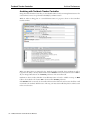
To remove a Textbook Tracker Controller operator, select (highlight) the user Name from the Textbook
Tracker Users field and click the Remove button. If you have Textbook Tracker Users with security
levels other than Administrator you will be unable to remove the District Administrator unless you have
another existing District Administrator.
Edit Users
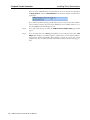
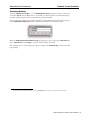
You may edit the username, password, email address, and security level of any existing Textbook Tracker
Controller user. To edit an existing user’s information, double-click on a user’s name in the Textbook
Tracker Users field. Alternately, you may select (highlight) the user’s name from the Textbook Tracker
Users field and click the Edit button (located at the bottom left-hand side of the window). Doing this
opens the Edit User window (similar to the Add User window described on page 24); using this window,
you may change any of the user information fields.
Textbook Tracker Controller User’s Manual – 25