1
The Alexandria Controller Interface
Alexandria Controller
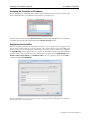
If you select (highlight) a specific Data Station from the list, it will turn blue—allowing you to use the
Start button to activate the Data Station (if it is stopped) or use the Stop button to deactivate a Data
Station (if it is running).
You may also click on the Add button, causing a message window to appear. You will be given a choice to
Add a new Data folder or Create a new one. If you wish to do neither, click Cancel.
For more information on importing or creating new Data Stations, please review “Adding or Creating
Alexandria Data Stations” on page 6.
The Controller Log
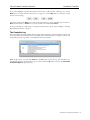
The bottom half of the main interface window contains the controller log. The controller log captures and
stores all pertinent Controller information, including when each Data Station is stopped or started, and
any special operations (e.g. archive or rebuild) that have been performed.
While in this section, you may select Print from the File menu to print the log. The controller log is
automatically saved by the Controller. Logs are saved inside the Log folder, located in the Alexandria
Controller Support program directory.
Alexandria Controller User’s Manual – 13