1
fuse Visualizer
Overview
Congratulations on your purchase of the PolyVision® fuse™ Visualizer. This manual describes how to
install and use the fuse Visualizer and software application.
What is fuse?
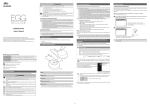
The PolyVision® fuse Visualizer provides the functions of a document camera, scanner, and web
cam in a small desktop footprint with only one USB cable connection to your computer. The USB
cable connection provides power to fuse and enables you to save digital images or video files from
the fuse camera directly to the computer where fuse software is installed.
You can use fuse alone, or add multiple features by integrating fuse with the PolyVision ēno™
interactive whiteboard and a projector. With fuse and ēno you can:
• view live images from fuse projected on the interactive whiteboard, annotate images using the ēno
stylus, and capture everything as a digital image on your computer
• control fuse features directly from the whiteboard using a small magnetic icon strip
Register your product
By registering your product, you receive enhanced customer service with information on software
upgrades.
To register your PolyVision product:
• Register on-line at:
http://register.polyvision.com
PolyVision
2002327-001 Rev C
3 of 16