1
DVRJ4
User’s manual
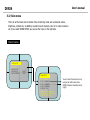
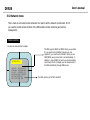
5.2. System menu
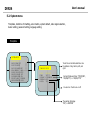
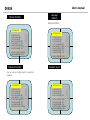
Time/date, hard drive formatting, auto rotation, system default, video signal selection,
buzzer setting, password setting, language setting.
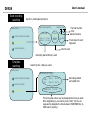
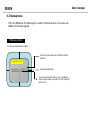
Time/date
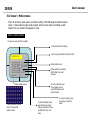
SYSTEM SETUP
O
O
O
O
O
O
O
O
O
O
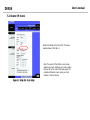
TIME/DATE SET
[
HDD FORMAT SET
[
FACTORY RESET
[
AUTO SEQUENCE SET
[
PLAY REPEAT : YES
VIDEO SOURCE : NTSC
BUZZER SOUND : OFF
PASSWORD ENA : ON
SELECT LANG : ENGLISH
NEW PASSWORD : 0000
]
]
]
]
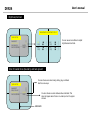
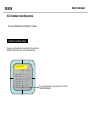
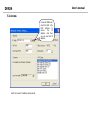
TIME/DATE SETUP
O
O
O
O
O
DATE
: 2006/08/12
TIME
: 14:21:11
FORMAT : YYYY/MM/DD
DISPLAY : ON
LOCAL : TOP
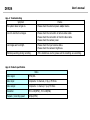
To set the current date and time. Use
the buttons of top, bottom, left, and
right.
Format of date and time. „YYY/MM/DD‟,
„MM/DD/YYY‟, or „DD/MM/YYYY‟
You can turn the time on or off.
The position of display.
„TOP‟, or „BOTTOM‟