1
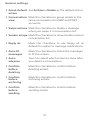
Set date
Touch to open a dialogue where you can manually set the
tablet’s date.
Set time
Touch to open a dialogue where you can manually set the
tablet’s time.
Select time zone
Touch to open a dialogue where you can set the tablet’s time
zone.
Use 24-hour format
Turn on to display the time using 24-hour clock format.
Choose date format
Touch to open a dialogue where you can select the format for
displaying dates.
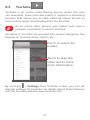
11.4.2 Accessibility
You use the Accessibility settings to configure any accessibility
plug-ins you have installed on your tablet.
TalkBack
Touch to turn on/off to activate/deactivate the TalkBack
function.
Switch Access
Turn on the switch to control your device using configurable
key combinations.
Captions
Touch to set the caption type.
78