1
3.3.8
Joining/Discarding contacts
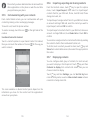
To avoid duplication, you can add any new contact information to
existing contacts in a single action.
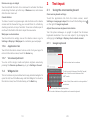
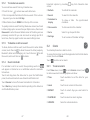
Touch the contact which you want to add information to, touch
key and then Edit, then touch key in edit screen and touch
Join.
At this time, you are required to select the contact whose
information you want to join with the first contact. The information
from the second contact is added to the first one, and the second
contact will no longer be displayed in the contacts list.
To separate contact information, touch the contact whose
information you want to separate, touch
key and then Edit,
then touch key in edit screen and touch Separate, touch OK
to confirm.
3.3.9
Synchronising contacts in multiple accounts
Contacts, data or other information can be synchronised from
multiple accounts, depending on the apps installed on your
phone.
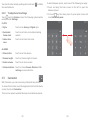
To add an account, touch
on Quick setting bar to get to
Settings, then touch Add account.
4
Messaging & Email
4.1
Messaging
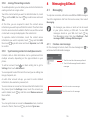
Your phone can create, edit and receive SMS and MMS messages.
Touch the Application tab from the Home screen, then select
Messaging.
All messages you receive or send out can be saved
in your phone memory or SIM card. To view SMS
messages stored on your SIM card, touch
key
from Messaging screen, then touch Settings > Text
messages (SMS) > Manage SIM messages.
4.1.1
Create a new message
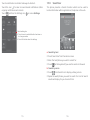
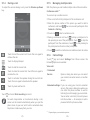
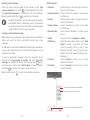
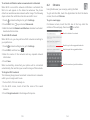
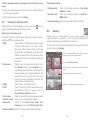
On the message list screen, touch the new message icon
write new text/multimedia messages.
• Touch to view the whole message thread
• Touch & hold message threads to delete
messages
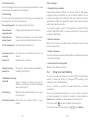
You are required to select the kind of account you are adding, like
Google, Corporate, etc.
As with other account set-ups, you need to enter detailed
information, like username, password, etc.
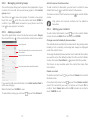
You can remove an account and all associated information from
the phone. Open the Settings screen, touch the account you
want to delete, touch key and then select Remove account,
then confirm.
Touch to create a new message
Touch to search in all messages
Sync
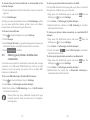
You can synchronise an account on Accounts screen, touch an
account in the list, then touch key and select Sync now.
35
36
to