1
Contents
1. Safety Instructions.....................................................................................................6
2. Getting Started............................................................................................................9
3. Using the Menu........................................................................................................14
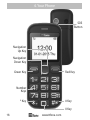
4. Your Phone..................................................................................................................16
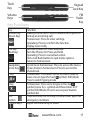
Key Functions...........................................................................................................17
Icons on Screen........................................................................................................18
Volume Adjustment..............................................................................................18
5. Making and Receiving Phone Calls................................................................19
To Make Calls.............................................................................................................19
To Answer Calls........................................................................................................19
Accessing the Menu during a Call.................................................................19
To End a Call...............................................................................................................19
To Reject a Call..........................................................................................................19
To Redial a Number...............................................................................................19
Making International Calls.................................................................................20
Changing the Volume during a Call..............................................................20
To Lock and Unlock the Keypad.....................................................................20
6. Phone Book................................................................................................................21
Storing, Searching and Deleting Numbers in the Phone Book......21
To Add a New Contact to the Phone Book................................................21
To Search for an Existing Contact...................................................................22
To Delete an Existing Contact..........................................................................22
To Edit Phone Numbers for Your Speed Dial............................................23
To call a Speed Dial Number.............................................................................23
7. SOS Emergency Button........................................................................................24
To Add the Emergency Contact Numbers to the Phone Book.......25
Edit the SOS Message...........................................................................................25
4
www.ttfone.com