1
Turning the Phone On
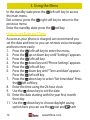
To turn the phone on, press and hold the red key until
the screen lights up.
If you switch on the mobile phone before inserting
the SIM card, it prompts you to insert the SIM card. The
mobile phone checks whether the SIM card is valid
automatically after it is inserted.
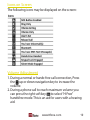
The following prompts appear on the screen in sequence
when the mobile phone is just switching on:
• Input phone password - If the password of the phone
has been set.
• Input PIN - If the password of the SIM card has been set.
• Searching - The mobile phone is searching for available
network.
Turning the Phone Off
To turn the phone off, press and hold the
the screen turns blank.
red key until
Charging the Battery
The battery can be charged when the phone is either
on or off. Please ensure the battery is inserted into the
phone before charging. The charging time is three hours.
To connect the charger:
1. Insert the cord into its port on the bottom panel of the
phone
12
www.ttfone.com