1
Using [Alt][ENTER]
In the example above, we obtained a
result by pressing [ENTER] after our
input.
You can also get Maple to return the
result on the same line as your question
by typing [Alt][ENTER] (hold down the
alt key, then press the enter key).
=
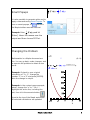
Example: Type "x+5-2" then [Alt]
[ENTER].
Context Menus
You can use Maple's context menus to
perform a wide variety of operations.
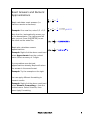
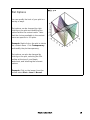
Example: Place your cursor on the last
result, and right-click. The context menu
offers several operations to choose from
according to the expression that you are
using. To integrate this expression, select
Integrate, then x.
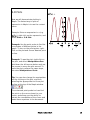
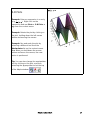
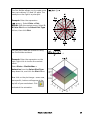
Example: To plot the result of the
integration, right-click on the result, and
then select Plots > 2-D Plot.
The context menus are self-documenting.
The text above the arrow shows what
operation has been performed.
=
=
integrate w.r.t. x
integrate w.r.t. x