1
Vine Server Manual
Contents
Preface......................................................................................................................................... 4
About Vine Viewer.................................................................................................................................................. 4
Enhanced Functionality with Vine Server............................................................................................................... 4
System Requirements............................................................................................................................................ 4
Installation.............................................................................................................................................................. 4
Help and Additional Information............................................................................................................................. 5
Introduction to Virtual Network Computing (VNC).................................................................................................. 5
How VNC Works ................................................................................................................................................... 5
Chapter 1: The Connection List................................................................................................. 6
Using the Connection List...................................................................................................................................... 6
Adding a Computer to the Connection List: Step-by-Step...................................................................................... 7
VNC Connection Information.................................................................................................................................. 7
Mac VNC Server Detection.................................................................................................................................... 7
Other Connection Settings..................................................................................................................................... 8
Color Depth............................................................................................................................................................ 8
Connecting Securely (SSH)................................................................................................................................... 8
Setting up SSH Connections: Step-by-Step........................................................................................................... 9
Connection List Reference..................................................................................................................................... 9
Chapter 2: The Viewer Window.................................................................................................. 11
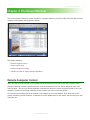
Remote Computer Control..................................................................................................................................... 11
Clipboard Sharing................................................................................................................................................... 12
Mac OS X System Commands on the Remote Computer..................................................................................... 12
Viewer Window Tools............................................................................................................................................. 12
Viewer Control Toggle............................................................................................................................................ 13
Display Scale Toggle.............................................................................................................................................. 13
Full Screen Control................................................................................................................................................. 13
Remote Computer Recording................................................................................................................................. 14
Capture Screen...................................................................................................................................................... 14
Record Movie......................................................................................................................................................... 14
Viewer Window Capabilities................................................................................................................................... 14
Chapter 3: Vine Viewer Preferences.......................................................................................... 15
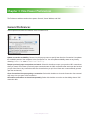
General Preferences.............................................................................................................................................. 15
Viewer Window Preferences.................................................................................................................................. 16
VNC Preferences: Advanced.................................................................................................................................. 17
Listen for Reverse Connections............................................................................................................................. 17
VNC Encodings...................................................................................................................................................... 17
Additional VNC Features........................................................................................................................................ 18
w w w. t e s t p l a n t . c o m
iii