1
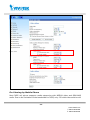
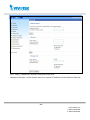
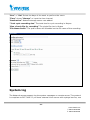
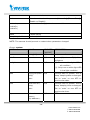
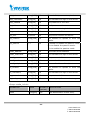
“Enable UPnP port forwarding” Enable UPnP port forwarding
“PPPoE” If using the PPPoE interface, fill the following settings from ISP
“User name” The login name of PPPoE account
“Password” The password of PPPoE account
“Confirm password” Input password again for confirmation
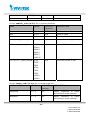
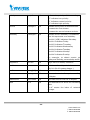
HTTP
“Authentication” It supports basic and digest modes.
“HTTP port” This can be other than the default Port 80. Once the port is changed, the
users must be notified the change for the connection to be successful. For instance,
when the Administrator changes the HTTP port of the Network Camera whose IP
address is 192.168.0.100 from 80 to 8888, the users must type in the web browser
“http://192.168.0.100:8888” instead of “http://192.168.0.100”.
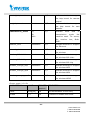
“Secondary HTTP port” It support alternate port to access HTTP server.
“Access name for stream 1” This is the access URL of stream 1 for making
connection from client software when its codec type is JPEG.
“Access name for stream 2” This is the access URL of stream 2 for making
connection from client software when its codec type is JPEG.
Using http://<ip address>:<http port>/<access name> to make connection.
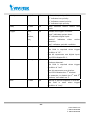
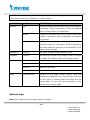
HTTPS
By default, the HTTPS port is set to 443. Also, it can be assigned with another port
number between 1025 and 65535.
- 40 www.vivotek.com
T: 886-2-82455282
F: 886-2-82455532